

I told you how I set up Google Workspace; that's when I started learning Squarespace and WordPress, using custom templates to build a website with Divi. I made a free website for a project for my computer literacy class at SUNY Orange, a prototype of a web app with Google Sites.
By Ruslan Smirnov | Founder of Memorable Design | SUNY Orange Student | WordPress Developer & Squarespace Designer
What is Google Sites? You buy a custom domain; using Google, you enjoy a free website builder that lets people build and publish simple websites without advanced coding skills. It’s ideal for school projects, small teams, internal info hubs, and simple business sites.
But is Google Sites better than Squarespace or WordPress?
As a student in the computer literacy program at SUNY Orange and a website designer, I have learned that the answer depends on what you are building and whether you're using a Google Workspace account.

My Story: Why I Made a Free Website for My Computer Literacy Class
My name is Smirnov Ruslan. I’m the founder of Memorable Design, a digital marketing and website design business, and a student at SUNY Orange (OCCC).

I do WordPress, Squarespace, SEO, content strategy, and graphic design. I like building websites that connect people and businesses, and we started building an app and created a new site, "Network in OCCC," for students, patients, gamers, families, and job seekers
But when I began a project for my computer literacy class at SUNY Orange, I decided to use Google Sites.
Why?
Occasionally, the best website is the simplest one. For my class project, I wanted to create a free website that could organize information, demonstrate digital skills, and help me explore a different approach to website development.
How I created a website mockup with Google Sites and Canva
I was already familiar with the basics of WordPress and Squarespace, but I wanted to try out Google Sites and see how it could work for a simple educational project.
That decision made me think of something important to understand about technology: All platforms serve a purpose.
Sometimes you don’t need fancy software or high-level coding skills to communicate an idea.
Sometimes you need a clear goal, organized content, and the right tool.
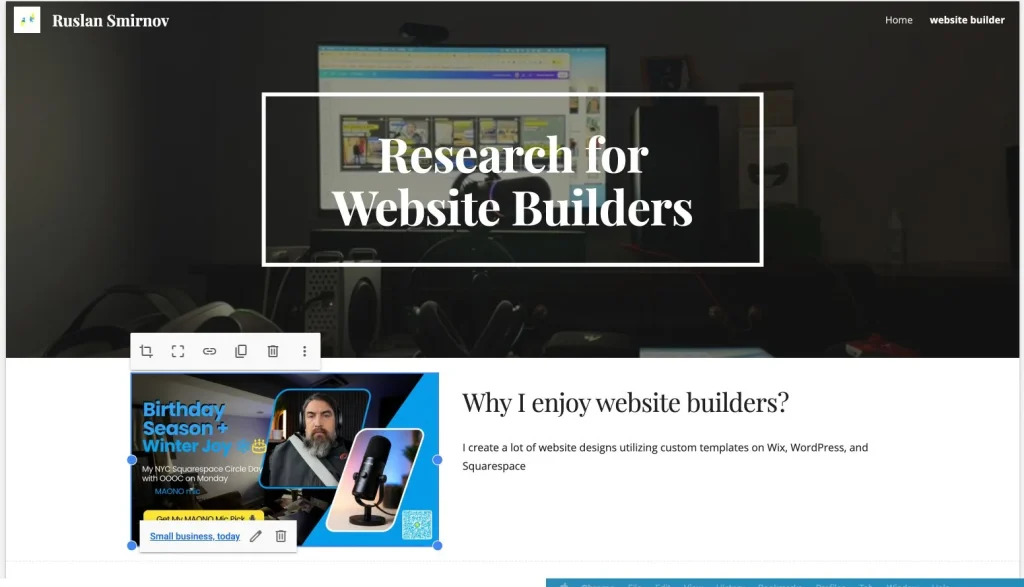
I like the website builder Google Sites.
Google Sites is a web-based website builder from Google.
It allows users to create websites with templates, text, images, embedded files, and other content.
You can sort information into pages, choose layouts, invite collaborators and publish your website online.
Google Sites is great for people that want a simple website without the hassle of traditional web hosting.
For example, a student may set up a project website to organize class materials.
A teacher can publish educational resources
A small team can share information and documents.
A business can make a simple informational site.
The platform is all about website publishing for everyone.
Google Sites, unlike WordPress, doesn’t have a full plugin ecosystem and doesn’t give you as much control over the website's underlying architecture.
It also doesn’t have the same built-in e-commerce and marketing features as Squarespace.
But Google Sites has one big advantage: simplicity.
That simplicity came in handy for my Computer Literacy project.
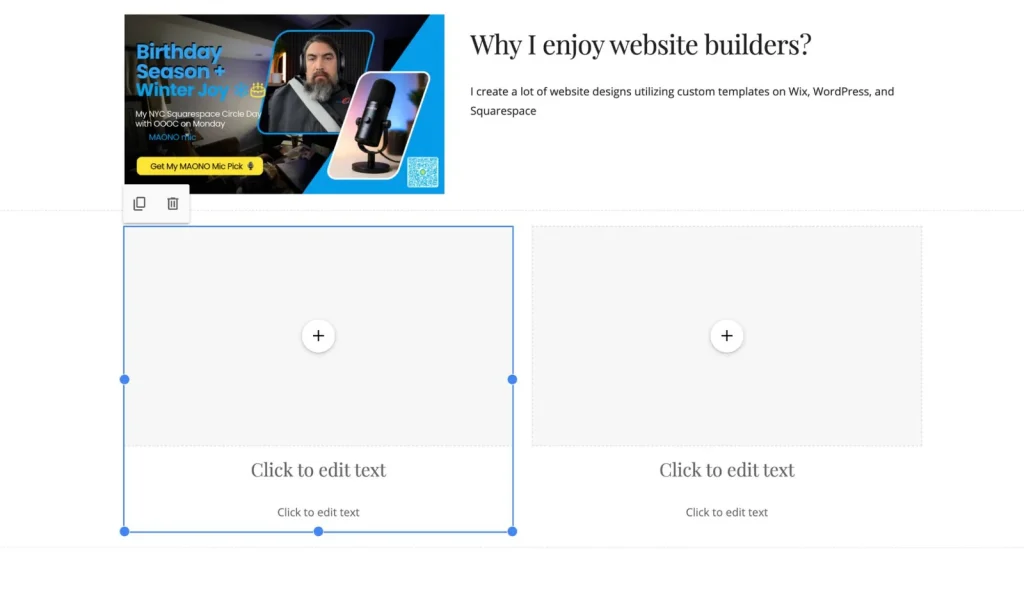
Seven Benefits of Google Sites
1. Google Sites Is Free to Use
One of the biggest benefits of Google Sites is that you can build and publish a basic website without paying for a website-builder subscription.
This makes it attractive for students and people learning web design.
A custom domain may involve a separate registration cost, but you don't need one to publish a basic project.
For my SUNY Orange assignment, I wanted to focus on learning and demonstrating computer literacy rather than paying for another website platform.
Google Sites gave me that opportunity.
2. You Don't Need Advanced Coding Knowledge
Google Sites uses a visual editing environment.
You can add text, images, pages, and other elements without writing HTML, CSS, or JavaScript.
This helps beginners concentrate on organizing content.
As a WordPress developer, I understand the value of programming and customization.
But I also know that not every website requires them.
A simple educational website should be easy to understand, navigate, and maintain.
3. It Works With Google Workspace Tools
Google Sites can display content from Google Drive, Docs, Sheets, Slides, Forms, and other supported services.
This is particularly useful in education.
Imagine creating a Computer Literacy website that includes:
- A presentation explaining operating systems.
- A Google Form for collecting feedback.
- A document containing research notes.
- A spreadsheet demonstrating data organization.
- A video explaining cybersecurity basics.
Instead of sending visitors to several unrelated pages, you can bring useful resources together.
You must still configure sharing permissions correctly so visitors can access the embedded files.
4. Google Sites Is Useful for Student Portfolios
Students can use Google Sites to organize class projects, presentations, written assignments, and other learning materials.
A student portfolio doesn't always need complex functionality.
Sometimes the goal is simply to demonstrate what you learned.
For my Computer Literacy class, I wanted to connect digital skills with a real website project.
This gave me an opportunity to apply my professional knowledge in an academic setting.
5. Collaboration Is Simple
Google Sites allows website owners to invite other people to edit a site.
That can be helpful for group assignments, classroom projects, and small teams.
Students can work together to organize information and improve their project.
For someone studying computer literacy, collaboration is an important digital skill.
It involves communication, organization, file sharing, and responsible access management.
6. Google Manages the Hosting
With Google Sites, you don't need to purchase and configure a separate hosting account.
Google handles the underlying hosting infrastructure.
This removes some of the technical responsibilities associated with managing a self-hosted website.
However, it also means you have less control over the hosting environment and advanced website functionality.
7. Google Sites Is Good for Prototypes
A prototype is an early version of a digital product used to demonstrate an idea, layout, or workflow.
For my Computer Literacy project, Google Sites helped me create a website prototype without building a custom application from the ground up.
I could focus on the information, navigation, and overall experience.
This is an important distinction: Google Sites can present or embed interactive elements, but it is not a complete application-development platform.
For a project requiring complex databases, authentication, or custom server-side functionality, I would consider other development tools.
Google Sites vs. Squarespace: Which Is Better?
As someone who works with Squarespace, I see a clear difference between the platforms.
Google Sites is useful when simplicity and cost are priorities.
Squarespace is for people who want a more complete website-building and business management experience.
Squarespace has professional templates, visual design tools, hosting, blogging, SEO settings, and e-commerce features.
Squarespace might be a better choice for a business that wants to publish articles, attract customers, manage products, or showcase a polished portfolio.
Google Sites may be sufficient for a simple project or an information page.
When to Use Google Sites
I would use Google Sites for a student assignment, internal resource website, a simple informational project or a prototype that doesn’t require advanced functionality.
When I’d Recommend Squarespace
If you want to build a professional portfolio, a service business, a creative brand, or a website that needs built-in marketing and selling features, check out Squarespace.
The difference is not just which platform looks better.
That’s what the website is for.
Google Sites vs. WordPress: What Are the Differences?
WordPress is a powerful content management system.
With self-hosted WordPress, developers can customize themes, install plugins, build custom functionality, and manage extensive content websites.
This flexibility is valuable for businesses that have specific technical or marketing requirements.
For example, a company may need a large blog, custom forms, a membership system, advanced ecommerce, or specialized integrations.
WordPress can support these projects through its ecosystem and development capabilities.
However, flexibility also introduces responsibilities.
A self-hosted WordPress website may require updates, backups, security monitoring, and performance optimization.
Google Sites removes much of that complexity.
You can create a basic website without managing plugins, databases, or hosting configurations.
Which Platform Is Better for SEO?
There isn't one platform that automatically guarantees better Google rankings.
Search visibility depends on factors such as content quality, relevance, technical accessibility, internal linking, and the usefulness of the website.
Google Sites can be discoverable in Google Search when the website is publicly accessible and eligible for indexing.
However, its SEO customization is relatively limited.
Squarespace includes built-in SEO settings and publishing features.
WordPress offers extensive SEO customization through themes, plugins, and development tools.
As an SEO strategist, I generally prefer WordPress or Squarespace for business projects that require more control over content optimization and long-term growth.
But I wouldn't reject Google Sites for a simple educational project.
The right choice depends on the website's goals.
My Google Sites Project and Computer Literacy at SUNY Orange
One question I explored through my education was: What is meant by computer literacy?
Computer literacy is the ability to use computers, software, online tools, and digital information effectively and safely.
It includes practical skills such as file management, online research, communication, cybersecurity awareness, and content creation.
My Google Sites project connects several of these skills.
Website Organization
A useful website needs a logical structure.
Visitors should understand where to find information and how to move between pages.
Building a website helps develop organizational thinking.
Digital Communication
A website communicates information to an audience.
Writing clear headings, explanations, and instructions is part of digital literacy.
Cloud Computing
Google Sites and Google Drive demonstrate how information can be created, stored, and shared through cloud-based services.
Cybersecurity Awareness
When publishing a website, it's important to understand sharing permissions and avoid exposing private information.
A student should know the difference between a publicly accessible page and a restricted document.
Problem-Solving
Building a website involves making decisions.
What should the homepage include?
How should the navigation work?
Which information is most important?
How will the website appear on different devices?
These questions encourage critical thinking.
For me, creating a website isn't just a technical activity.
It's an opportunity to solve a communication problem.
My Prototype Web App: What I Learned
For my Computer Literacy project, I developed a prototype using Google Sites.
I approached it as a digital design exercise.
I wanted to demonstrate how a simple website could organize educational content and create a useful experience.
My professional experience helped me think about the project from several perspectives.
As a designer, I considered layout and readability.
As an SEO strategist, I considered page titles, navigation, and content clarity.
As a student, I considered what the project needed to communicate.
And as a business owner, I considered whether the technology was appropriate for the goal.
This experience reinforced an important lesson.
A good developer doesn't always choose the platform with the most features.
A good developer chooses the technology that meets the project's requirements.
For a simple classroom prototype, Google Sites can be practical.
For a complex business website, WordPress or Squarespace may be more suitable.
Can Google Sites Be Used for Business?
Yes. Google Sites can be used for basic business websites.
For example, a small organization might create a website containing contact information, business hours, service descriptions, and useful resources.
It may also be suitable for internal employee information or a temporary project website.
But business owners should consider future requirements.
Will the website need online payments?
Will it require advanced forms?
Does the business plan to publish many articles?
Will it need custom integrations?
Is the goal to compete for valuable search keywords?
These questions matter because the platform you choose can affect how easily your website grows.
A simple website might be enough today, but a growing business may eventually require more sophisticated tools.
How to Create a Google Sites Website
If you're a student or beginner, getting started with Google Sites is straightforward.
Step 1: Open Google Sites. Sign in with an eligible Google Account and open sites.google.com.
Step 2: Choose a template. Start with a blank website or select an available template.
Step 3: Name your website. Choose a name that clearly describes your project.
Step 4: Add pages. Create a homepage and supporting pages based on your content.
Step 5: Insert content. Add headings, paragraphs, images, documents, presentations, and other resources.
Step 6: Review the layout. Preview your website and check how it appears on different screen sizes.
Step 7: Configure access. Review publishing settings and embedded-file permissions.
Step 8: Publish. Choose the web address and publish your site.
For a classroom assignment, also confirm whether your instructor expects the website to be public or restricted.
What Is the Connection Between Google Sites and SEO?
SEO stands for search engine optimization.
It is the practice of improving a website so search engines can discover, understand, and appropriately present its content.
When creating a website, I think about the questions visitors are asking.
For example:
- What is Google Sites?
- Is Google Sites free?
- What are the benefits of Google Sites?
- Is Google Sites better than Squarespace?
- Can Google Sites replace WordPress?
Each question represents a potential search intent.
A useful article should answer the main question clearly before exploring related topics.
That's why I began this article with a simple definition of Google Sites.
From there, I connected the explanation with my personal experience, technical comparison, and classroom project.
This approach helps readers understand the topic while learning from a real example.
Why My WordPress Developer Portfolio Includes Google Sites
You might wonder why someone with WordPress and Squarespace experience would feature a Google Sites project in a professional portfolio.
My answer is simple.
A portfolio should demonstrate problem-solving, not just software knowledge.
Different projects have different goals.
Sometimes I need advanced WordPress development.
Sometimes Squarespace offers the right combination of design and business tools.
And sometimes a simple Google Sites website is enough.
My SUNY Orange project demonstrates that I can evaluate a platform based on its purpose.
It also shows how I continue developing my digital skills through education.
For me, being a developer means remaining curious and willing to learn.
Frequently Asked Questions About Google Sites
What is Google Sites used for?
Google Sites is used to create simple websites for education, personal projects, small teams, internal resources, and basic business information.
Is Google Sites completely free?
You can create and publish a basic Google Sites website without a paid website-builder subscription. Optional services, such as registering a custom domain, may cost money.
Is Google Sites better than WordPress?
Google Sites is simpler for basic websites. WordPress provides much greater customization and extensibility. The better option depends on the project's requirements.
Is Google Sites better than Squarespace?
Google Sites can be a better fit for a free student project or simple information hub. Squarespace is generally more suitable for a professional website that needs integrated design, blogging, ecommerce, and marketing features.
Can Google Sites rank on Google?
Yes, publicly accessible Google Sites pages can be indexed and appear in search results. Indexing and rankings are not guaranteed.
Can I use my own domain with Google Sites?
Yes. Google Sites supports custom domains, although you may need to purchase the domain separately and complete ownership verification.
Can I build an app with Google Sites?
Google Sites can present an app concept or embed supported interactive content. It is not a full replacement for custom application development.
Does Google Sites require coding?
No. Basic websites can be created using its visual editor without programming.
Is Google Sites good for a student portfolio?
Yes. It can be useful for displaying assignments, presentations, projects, and educational achievements.
Which website builder is best for a small business?
Google Sites may be suitable for a very simple website. Squarespace is a strong option for integrated business tools and design. WordPress is useful when greater customization or complex functionality is required.
Final Thoughts: From SUNY Orange to Memorable Design
My Computer Literacy project at SUNY Orange reminded me that learning technology is about more than understanding software.
It's about knowing how to choose the right tools.
I already knew WordPress and Squarespace.
But building a free website with Google Sites gave me another perspective on website design.
I could focus on organizing information, communicating clearly, and creating a useful educational experience.
As the founder of Memorable Design, I bring those lessons into my professional work.
Every website should have a purpose.
Every design decision should support the visitor.
And every digital project should create an experience worth remembering.
My education at SUNY Orange continues to connect with my work as a website developer, SEO strategist, and content creator.
That's what makes this journey meaningful to me.
My journey begins with learning, and it continues through creating.
Let’s Build a Website that Works for You.
Trying to decide between Google Sites, Squarespace and WordPress?
Maybe you're launching your first business website.
Or perhaps you have a website but want better organization, stronger SEO, or a more professional design.
Or maybe you want to find out which platform can support your next stage of growth.
At Memorable Design I combine website design, content strategy and SEO with real-world business goals.
I think the best website is not necessarily the most expensive or the most complicated.
It’s the site that serves your purpose and gives your audience an unforgettable experience.