
Recall the first time I joined the Squarespace Circle community, became a member, and started using the developer platform and consulting with the customer support team. Everything felt fresh and exciting, even before I realized I had TBI. I was exploring Squarespace, discovering my interests, and building my skills, subscribing to Facebook groups, unaware of the challenges ahead.
For me, it works perfectly; engaging with community members in these forums and user groups helped me share information and learn from others, including both customers and fellow creators. Sharing information benefits both community members and customers, fostering connection and growth for everyone involved.
Remindable Studio, A Suarespace website

Ruslan Smirnov
SEO Expert
Engaging with community members in these groups helped me share information and learn from others, including both customers and fellow creators. Sharing information benefits both community members and customers, fostering connection and growth for everyone involved.
Introduction to Squarespace
Squarespace is a leading website builder that empowers users to create visually stunning, highly functional websites without writing a single line of code. Its intuitive drag-and-drop interface and professionally designed templates make it a favorite for individuals, creatives, and businesses looking to establish a strong online presence. While Squarespace offers a wide range of features for building a beautiful and effective site, one area where it falls short is the lack of a built-in forum feature. For anyone focused on community building or fostering an online community, this can be a significant limitation. Community forums are essential for engaging users, sharing information, and creating a sense of belonging on your Squarespace website. In this article, we’ll explore how you can overcome this limitation and create a thriving community on your Squarespace site using third-party tools and integrations.
My Social Media Research
So, here’s the scoop: as an SEO guru, I like to dive into bustling community forums where people freely spill their brains and clever insights. I also hang out in the Facebook Squarespace group—it’s like a digital coffee shop where I drop nuggets of wisdom and soak up tricks from others using the platform. These online hangouts are my backstage passes to connect with real folks, start a discussion, ask those burning questions, and find out what obstacles everyone’s bumping into. When you start a discussion in the Squarespace Forum, creating a clear topic title and using relevant tags helps other users find and understand your question. Leaving a helpful comment or answer in a discussion can also build your reputation in the community. It’s my secret sauce to really understanding the community and keeping tabs on all the freshest trends.
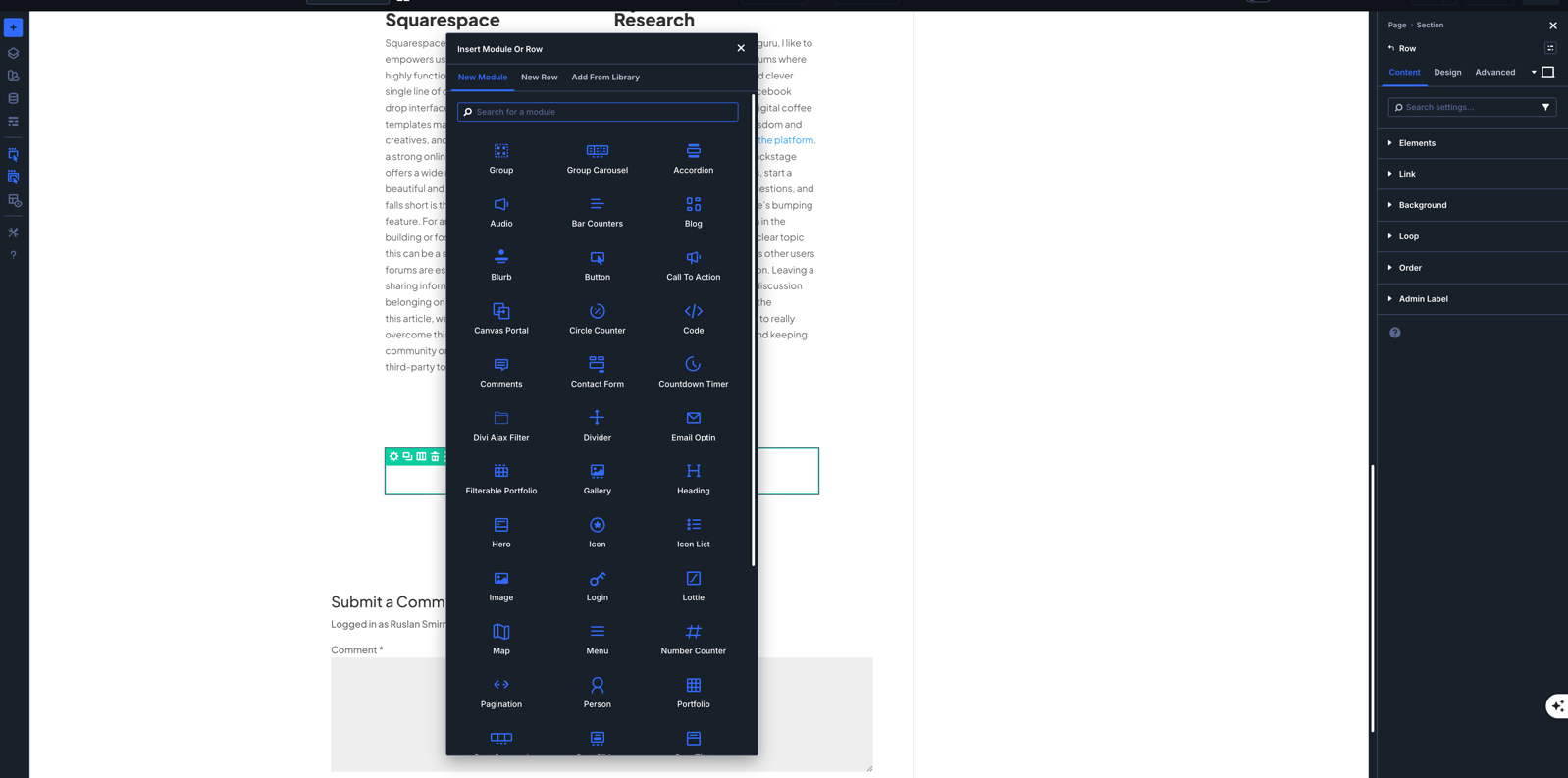
Comparing my first Squarespace site to WordPress:
What a unique day it was when I turned to the community for advice and to learn a few new tricks! I remember diving into their suggestions, asking straightforward questions, and getting a grasp of those little details that could really improve my work. Their feedback and real-time conversations about my Squarespace page gave me a fresh perspective on my designs, making the whole experience feel more personalized and upbeat.
Based on advice from forum discussions, I was able to edit my account settings and site details directly on the platform, including updating my email address and customizing my site layout. The Squarespace forum often features discussions on topics like site structure, navigation, e-commerce management, SEO, and site design, providing a wide range of insights for users.
Crafting Your Divi 5 Portfolio
Your portfolio isn’t just a collection of work—it’s your digital handshake. Let’s break down how to make yours stand out with Divi 5’s powerful tools. On Squarespace, you can further customize your portfolio with advanced editing options such as HTML, CSS, and JavaScript, allowing you to tailor every detail to your unique style.
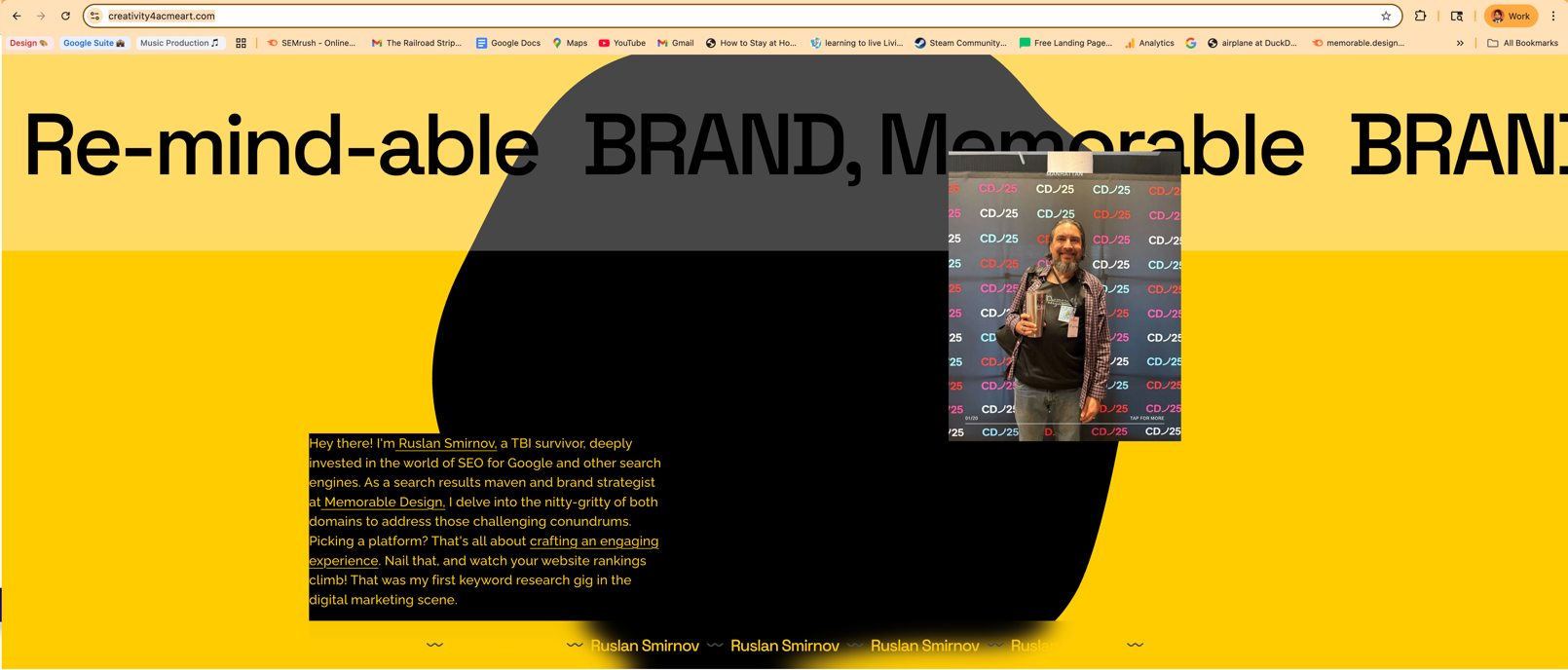
Understanding Divi 5 Essentials
Divi 5 changed the game for web designers who want control without coding headaches. The visual builder lets you see changes in real-time, saving you hours of back-and-forth tweaking.
Start with the basics: pick a template that matches your style but doesn’t box you in. Many designers make the mistake of choosing overly complex templates that fight against their content. Simple works better—you can always add complexity later.
Did you know most visitors decide whether to stay on your site in less than 5 seconds? That’s why Divi 5’s speed options matter so much. Enable lazy loading for images and minimize CSS files to keep your portfolio snappy across all devices.
The best Divi 5 portfolios use the grid layout system to create clean, organized work displays. Try the 3-column masonry layout for visual work—it keeps your projects visible without overwhelming visitors. Always follow best practices for organizing your content and optimizing images to ensure fast load times and a professional appearance.
Personal Branding with Divi 5
Your Divi 5 portfolio needs to scream "you" from the moment someone lands on it. Start by choosing colors that match your personal brand—not just colors you like, but ones that communicate your style to clients.
Most portfolios fail because they look like everyone else's. Break the pattern with Divi 5's custom headers. Create a header that shows your face or a symbol that represents your work style. People connect with people, not just pretty designs.
Write your bio in first person and keep it under 100 words. No one reads long bios on first visit. Instead, focus on the specific problems you solve for clients. "I help mental health professionals create calming websites that convert visitors to clients" beats "I'm a passionate web designer with 5 years of experience."
Add personal touches through Divi 5's custom CSS options. Even something small like unique hover effects on your portfolio pieces shows attention to detail that clients notice.
Optimizing for SEO Success
SEO might seem boring, but it’s the difference between getting found and getting forgotten. With Divi 5, you can build a portfolio that both humans and search engines love.
First, research keywords that your ideal clients actually use. If you design for mental health professionals, they might search “website designer for therapists,” not “psychological practice web developer.” Use these phrases naturally in your project descriptions.
The biggest SEO mistake with Divi 5 portfolios? Forgetting to optimize images. Rename all your portfolio images with descriptive filenames before uploading. “therapy-website-homepage-design.jpg” works better than “IMG_2847.jpg” for search engines.
In addition to images, including videos in your portfolio can boost engagement and improve SEO, as videos are highly valued by both users and search engines.
Make sure your portfolio loads fast—Google ranks speedy sites higher. Divi 5’s built-in performance tools help, but also compress your images before uploading them. A 3MB image slows everything down, even though a 300KB version would look identical to visitors.
On the Squarespace forum, users share strategies for both traditional search ranking and emerging 2026 trends, such as AI-driven search optimization.
Setting up a Forum
Adding a forum to your Squarespace site is easier than you might think, thanks to a variety of third-party plugins and integration options. Popular forum plugins like Circle and Discourse can be embedded directly into your Squarespace website, giving you access to features such as customizable templates, user management, and moderation tools. These plugins are designed to help you create vibrant community forums where users can connect, ask questions, and share advice. If you prefer a more social approach, platforms like Facebook Groups or Google Workspace also offer ways to build a community forum linked to your site. By leveraging these tools, you can foster engagement and create a space for real-time conversations, all while keeping your community connected to your Squarespace site.
Exploring the Squarespace Forum
When I hit roadblocks with my design, I turned to the Squarespace forum—a goldmine of solutions from fellow creators facing the same challenges.
To participate in the Squarespace Forum, you need to create a separate account to log in, post questions, and engage with the community.
Engaging with the Community
The Squarespace forum saved my portfolio when I got stuck on design problems. Think of it as having thousands of colleagues ready to help at any hour.
I started by searching for specific issues rather than posting right away. Most questions have already been answered, and you'll get solutions faster. Try searching "Divi 5 portfolio gallery not responsive" instead of "help with my portfolio."
When you do post questions, include screenshots and clear descriptions. The community responds better to "My portfolio images are stretching on mobile devices using Divi 5's gallery module" than vague complaints about things "not working right."
Don't just take—give back too. Answering questions about topics you know builds your reputation and often leads to connections with potential clients. I found two clients just by helping others with their portfolio questions.
Leveraging Tips from Experts
The real magic of forums happens when you find advice from people who’ve already solved your exact problem. Look for users with high post counts—they often share gold.
One expert on the forum suggested using Divi 5’s conditional logic to show different portfolio pieces to different visitors. This trick lets therapists see therapy website examples first, while coaches see coaching sites—all on the same portfolio.
Another game-changing tip: create case studies, not just galleries. Forums taught me that clients care more about results than pretty pictures. For each portfolio piece, include the problem, solution, and measurable outcomes like “website conversion rate increased by 32%.”
Gaining entry to advanced forum features can further enhance your Squarespace Forum experience, allowing you to access more sophisticated tools for community engagement and customization. You can also promote the answer that provided the most relevant or helpful information by marking it as Recommended, making it easier for others to find the best solutions.
The most surprising advice came from a branding specialist who suggested removing half my portfolio pieces. “Ten amazing projects beat twenty good ones every time,” she wrote. I cut my portfolio in half, and inquiries went up almost immediately.
Squarespace Site Integration
Integrating a forum into your Squarespace site can be accomplished in several ways, depending on the platform or plugin you choose. Some solutions, like Circle, offer straightforward integration, allowing you to embed the forum directly onto your site with just a few steps. Others, such as Discourse, may require a bit more setup and technical know-how, but they offer powerful features for community building and real-time conversations. No matter which option you select, integrating a forum into your Squarespace site enhances the overall user experience, encourages ongoing conversations, and helps you build a loyal community around your brand or business. With the right integration, your Squarespace site can become a hub for interaction, support, and collaboration.
Forum Plugin and Circle Integration
For those looking to create a seamless and professional community experience on their Squarespace site, the Forum plugin, combined with Circle integration, is a top choice. Circle is a modern forum platform packed with features like customizable templates, advanced user management, and robust moderation tools. By integrating the Forum plugin with Circle, you can embed a fully functional community forum directly into your Squarespace site, making it easy for users to join discussions, seek advice, and connect with others. This integration not only enhances your site’s features but also supports your community-building efforts by providing a dedicated space for interaction and engagement. With Circle, you can manage your community efficiently and offer a polished, branded experience that keeps users coming back.
Ruslan Smirnov's Inspiring Story
Sometimes the best design inspiration comes from unexpected places. Ruslan's journey shows how challenges can transform into creative strengths.
Overcoming Challenges with Design
Ruslan Smirnov's story changed how I approach design problems. After a brain injury, he had to relearn design basics—which gave him a fresh perspective most designers lack.
While most of us get stuck in design patterns, Ruslan's injury forced him to question every design convention. He asks "why" before applying any design trend. This approach led him to create unusually effective layouts that break rules in the right ways.
His biggest lesson? "Constraints create creativity." When Ruslan couldn't use complex animations due to processing issues, he focused on color psychology and typography instead. His limitations became his signature style.
You can see this thinking in action on his portfolio site. Notice how he uses white space strategically—not just as decoration, but to direct attention exactly where he wants it.
Lessons from a Brain Injury Survivor
Ruslan's recovery journey offers wisdom beyond design techniques. His experience reshapes how we can think about creating memorable work.
The first lesson is patience with the process. Ruslan spent months rebuilding basic skills that used to come naturally. He applied this patience to client work, taking time to understand problems fully before jumping to solutions.
"My brain works differently now," he often says. This difference became his advantage. While other designers follow trends, Ruslan creates from his unique neural pathways. Your own "different" thinking is worth embracing too.
His most powerful insight? Emotional connection trumps technical perfection. When cognitive challenges made complex coding impossible, Ruslan focused on creating emotional responses through simple design elements. His portfolio pieces might use basic techniques, but they make visitors feel something—which clients value more than flashy effects.
Designing a Memorable Portfolio
A forgettable portfolio gets no clients. Set up your portfolio with plugins to enhance user interaction and community engagement on your Squarespace site. Let’s explore how to make yours stick in people’s minds long after they click away.
Creative Layout Ideas
The layout of your portfolio creates the first impression—make it count. Break away from the standard grid that every template offers.
Try the storytelling approach: arrange projects in a visual narrative that guides visitors from your simplest work to your most complex. This creates a journey that keeps people scrolling to see how the story ends.
Another option is the problem/solution layout. For each portfolio piece, show the client's problem visually (their old website or branding) side-by-side with your solution. This before/after approach demonstrates your value instantly.
For something truly different, create a "day in the life" portfolio. Show your design process from start to finish for one project, including sketches, client feedback rounds, and final delivery. This transparency builds trust with potential clients who want to know how you'll handle their projects.
Incorporating Mental Health Content
Mental health awareness changes how we design portfolios. Both for mental health clients and for showing your own balanced approach to work.
When creating for mental health professionals, use color psychology intentionally. Blues and greens create a calm atmosphere, while pops of yellow add optimism without overwhelming visitors. The mental health content creators who get the most clients use this balanced palette.
Include breathing space in your layouts. The trend of cramming every pixel with content creates anxiety for visitors. Instead, use generous margins and white space to create a sense of calm as visitors explore your work.
Consider adding a section about your work-life boundaries. Modern clients respect designers who maintain mental health through clear communication hours and realistic timelines. This signals that you'll be stable and reliable throughout their project.
If you've experienced mental health challenges yourself, sharing your story (when appropriate) creates authentic connection. Ruslan's openness about his brain injury recovery makes clients feel safe sharing their own challenges and needs.
Practical Tips for Web Developers
Beyond design principles, let’s talk nuts-and-bolts strategies to make your portfolio work harder for you.
You can use your computer to easily access and manage the Squarespace forum through a web browser, allowing you to log in, create an account, and participate in discussions efficiently.
Additionally, you can embed forums into your Squarespace site using HTML blocks or iframes, which enables interactive community features directly on your portfolio.
Balancing Aesthetics and Functionality
The best portfolios marry beauty with brains. They look good and work perfectly for every visitor.
Start with mobile design first, then expand to desktop. Most portfolio visits happen on phones during commutes or coffee breaks. If your mobile experience frustrates visitors, they won't return on desktop later.
Keep your navigation simple—three to five main options maximum. User testing shows that each additional menu item reduces the chance visitors will explore your portfolio deeply.
Make sure your portfolio loads in under 3 seconds. Each second after that loses 7% of potential clients. Use Divi 5's performance settings to minimize code and optimize image delivery.
The most overlooked functionality? Make contact easy. Every portfolio page should include a way to reach you that takes less than two clicks. The beautiful portfolio that makes people work to contact you loses clients to the average-looking one with an easy contact form.
Effective Portfolio Marketing Strategies
Building a portfolio is only half the battle—getting it in front of the right people completes the journey.
Create project-specific landing pages for different client types. When a therapy practice owner visits, send them to yourdomain.com/therapy-websites instead of your general portfolio. This targeted approach has doubled conversion rates for many designers.
Use the 1:10:100 rule for promotion. For every hour you spend creating a portfolio piece, spend 10 hours getting it seen, and aim for 100 people in your target market to view it. Most designers do the opposite, spending all their time creating and almost none promoting.
Consider creating short video walkthroughs of your projects for social media. These 30-second tours perform better than static images and show your thought process. Share them on Instagram where design clients often browse for inspiration.
Leverage free plugins or tools to promote your portfolio and engage with the Squarespace community. Participating in the forum not only helps you connect with others but, as an active contributor, you can also join the Squarespace Circle program for additional benefits.
The most powerful marketing strategy? Get your clients to market for you. After project completion, send clients three pre-written social posts about their new design that they can share with their networks. Make it easy for them to brag about their new website or brand.
Your portfolio isn’t just a showcase—it’s a conversion tool that turns visitors into clients. With these strategies from Divi 5 experts, Squarespace forum wisdom, and Ruslan Smirnov’s inspiring approach, you can build a portfolio that stands out and brings in the clients you want to work with.
Remember that the most memorable portfolios don’t just display skills—they tell a story about how you solve problems and create value. Start building yours today
FAQ and Troubleshooting
Can I add a forum to my Squarespace site?
Absolutely! You can add a forum to your Squarespace site by using third-party plugins or integrations such as Circle or Discourse. These tools make it easy to create and manage community forums directly on your website.
What are the benefits of using a forum on my Squarespace site?
Adding a forum to your Squarespace site boosts user engagement, supports community building, and enables real-time conversations among your audience. It’s a great way to foster loyalty and provide ongoing support to your users.
How do I integrate a forum into my Squarespace site?
Integration is straightforward with most plugins. Simply choose a platform like Circle or Discourse, follow their setup instructions, and embed the forum into your Squarespace site. Some platforms offer direct embed codes, while others may require additional configuration.
What kind of support is available for forum plugins and integrations?
The customer support team for your chosen forum plugin or integration is available to help with setup, troubleshooting, and ongoing support. Whether you need help with configuration or have questions about features, the support team is there to ensure your community runs smoothly.
By leveraging these tools and resources, you can create a dynamic, interactive community on your Squarespace site that supports your business goals and enhances your users’ experience.