
Customer expectations for support have changed. People want immediate answers, personalized assistance, and solutions that do not require waiting in a queue or repeating the same information to multiple representatives.
For businesses, meeting these expectations while managing increasing support volumes is becoming more difficult. Traditional chatbots can answer basic questions, but they often struggle with complicated requests, changing customer information, and multi-step service tasks.
AI chatbot platforms address these limitations by combining natural language understanding, knowledge retrieval, workflow automation, and integrations with business applications. More advanced systems can check order information, update customer records, initiate returns, and resolve routine service requests without requiring a human representative.
However, not every platform offers the same capabilities. Some are designed for large enterprises with complex CRM environments, while others focus on ecommerce, website chat, or affordable helpdesk automation.
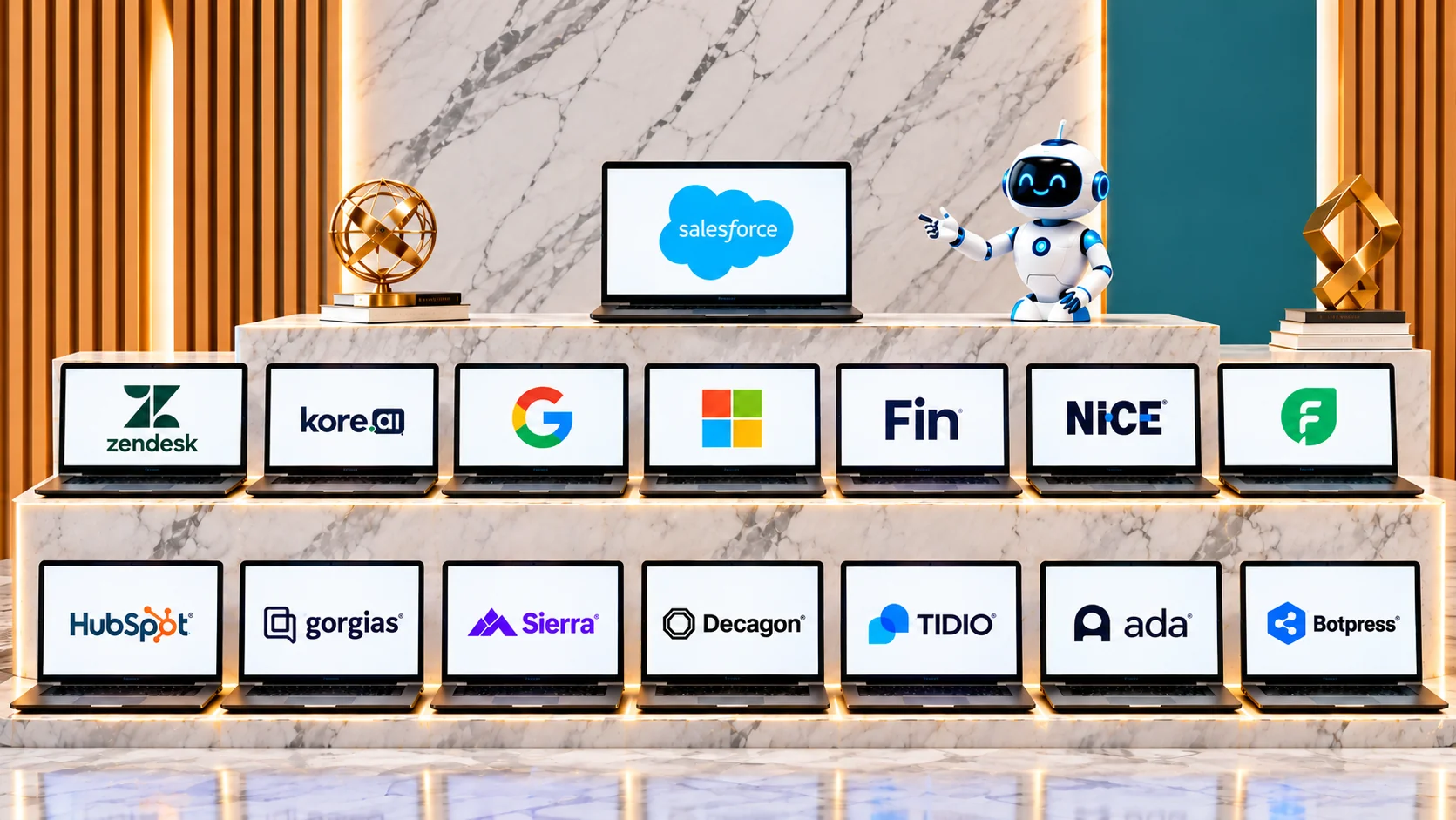
To make the comparison easier, we evaluated 15 AI chatbot platforms using six criteria: analyst recognition, pricing transparency, outcome evidence, stability, breadth of fit, and market momentum.
Salesforce Agentforce takes the top position, followed by Zendesk AI, Kore.ai, Google Gemini Enterprise for CX, and Microsoft Dynamics 365 Customer Service. Below is a detailed comparison of what each platform offers, its pricing structure, advantages, limitations, and the businesses most likely to benefit from it.
Quick Comparison: 15 Best AI Chatbot Platforms
| Platform | Best for | Main strength | Pricing model |
|---|---|---|---|
| 1. Salesforce Agentforce | Large enterprises | CRM-connected autonomous agents | Per conversation or usage credits |
| 2. Zendesk AI | Established support teams | AI automation within helpdesk workflows | Per agent and AI resolution |
| 3. Kore.ai | Enterprise conversational AI | Complex conversational workflows | Custom enterprise pricing |
| 4. Google Gemini Enterprise for CX | Enterprise customer experiences | Multimodal AI and agent development | Enterprise/usage-based |
| 5. Microsoft Dynamics 365 Customer Service | Microsoft-based businesses | CRM and customer service integration | Per user and additional AI licensing |
| 6. Fin | Automated customer support | Outcome-based AI resolutions | Per outcome and platform subscription |
| 7. NiCE Cognigy | Enterprise contact centers | Voice and digital automation | Custom enterprise pricing |
| 8. Freshdesk Freddy AI | Small and mid-sized businesses | Accessible AI-powered helpdesk | Per agent and AI sessions |
| 9. HubSpot Customer Agent | HubSpot customers | CRM-connected customer support | Per seat and resolved conversation |
| 10. Gorgias | Ecommerce businesses | Shopify and order-related automation | Per ticket and AI interaction |
| 11. Sierra | Large enterprises | Outcome-oriented AI agents | Custom outcome-based pricing |
| 12. Decagon | AI-first support teams | Customizable autonomous agents | Per conversation or resolution |
| 13. Tidio | Small businesses | Website chat and AI automation | Subscription and AI conversations |
| 14. Ada | Large consumer brands | Multichannel customer service automation | Custom enterprise pricing |
| 15. Botpress | Custom chatbot development | Flexible AI agent creation | Subscription and usage-based |
Pricing is indicative and depends on subscription level, billing frequency, usage, and implementation requirements. Custom enterprise contracts may differ.
How We Evaluated the Best AI Chatbot Platforms
A customer support chatbot should be evaluated according to how effectively it handles real customer interactions, not simply how many features appear on its product page. We used six criteria to assess the platforms.
| Evaluation criterion | Weight |
|---|---|
| Analyst recognition | 25% |
| Pricing transparency | 15% |
| Outcome evidence | 20% |
| Stability | 10% |
| Breadth of fit | 15% |
| Market momentum | 15% |
| Total | 100% |
1. Analyst Recognition
We considered recognition in independent enterprise technology evaluations, particularly research covering conversational AI, customer service automation, and enterprise agent platforms.
2. Pricing Transparency
We examined whether vendors publish accessible pricing information and whether buyers can estimate their likely costs before entering a sales process.
3. Outcome Evidence
We considered documented deployments, customer outcomes, and available performance information. Vendor-reported statistics were not treated as independently verified results.
4. Stability
We considered company maturity, product continuity, enterprise readiness, and business developments that could affect long-term purchasing decisions.
5. Breadth of Fit
We assessed the industries, business sizes, communication channels, integrations, and support requirements each platform can accommodate.
6. Market Momentum
We considered product developments, funding, acquisitions, market adoption, and strategic investment.
Scoring note: The ranking represents an editorial assessment using these six criteria. It is not a laboratory benchmark or a claim that every product was personally tested. Analyst recognition and vendor-reported performance are treated as separate types of evidence.
The 15 Best AI Chatbot Platforms for Customer Support in 2026
1. Salesforce Agentforce — Best for Enterprise CRM Automation
Best for: Large organizations already using Salesforce CRM that want autonomous customer support connected to customer records and business workflows.
What It Does
Salesforce Agentforce is an AI agent platform that allows organizations to create digital agents capable of understanding requests, retrieving customer information, and executing business actions.governance
Unlike conventional chatbots that primarily provide answers, Agentforce can work with customer records and connected applications to perform multi-step tasks.
Its customer service capabilities are particularly useful for businesses that want to connect automated support with their existing CRM environment.
Why It Ranks Here
Agentforce ranks first because of its enterprise capabilities, deep CRM integration, broad workflow support, and recognition in independent conversational AI evaluations.
Its biggest advantage is the ability to connect customer interactions with information already available across the business.
However, its benefits are most significant for organizations already committed to the Salesforce ecosystem.
Key Features
- Autonomous AI agents for customer service.
- Agentforce Builder for creating and configuring agents.
- Access to customer information through CRM integrations.
- Automated service workflows and business actions.
- Human escalation when requests require additional assistance.
- Agent assistance and customer interaction summaries.
Pricing
Salesforce offers several subscription and usage options.
Its Agentforce usage pricing includes:
- $2 per conversation.
- Flex Credits at $500 per 100,000 credits.
- Additional licensing depending on the Salesforce edition and required functionality.
For example, 1,000 conversations at $2 each would produce $2,000 in usage charges, excluding the underlying platform subscription and implementation expenses.
Proof and Results
Agentforce has received recognition in independent enterprise conversational AI evaluations.
Its enterprise positioning is supported by its integration with a widely used CRM environment. However, businesses should validate customer-specific automation outcomes rather than assume that published performance figures will apply to their operations.
Pros and Cons
Pros
- Deep CRM integration.
- Enterprise workflow automation.
- Customizable autonomous agents.
- Strong enterprise positioning.
- Multiple usage and licensing options.
Cons
- Implementation can be complicated.
- Additional licensing affects total costs.
- Less attractive for businesses outside the Salesforce ecosystem.
Watch-Outs
The advertised AI usage rate is not the complete ownership cost. Businesses should calculate platform subscriptions, agent licensing, implementation, and ongoing usage before making a purchasing decision.
Who Should Skip It
Small businesses looking for a simple, inexpensive website chatbot may find Agentforce unnecessarily complex. Companies without an existing Salesforce environment should also compare the cost of adopting a completely new ecosystem.
2. Zendesk AI — Best for Established Customer Support Teams
Best for: Mid-sized and enterprise support teams that already use Zendesk and want to introduce AI automation without replacing their existing ticketing environment.
What It Does
Zendesk AI adds artificial intelligence to the company's customer service and ticket management platform.
It combines autonomous AI agents, agent assistance, intelligent ticket classification, automated routing, and customer support workflows.
Its AI agents can retrieve information, respond to customer requests, and complete supported tasks. More complicated issues can be transferred to human representatives with conversation context.
Why It Ranks Here
Zendesk ranks second because it combines established helpdesk functionality with AI-powered customer service automation.
Its biggest advantage is operational integration. Tickets, macros, workflows, reporting, and AI capabilities can operate within the same environment.
Its acquisition of additional AI technology in 2026 also strengthens its long-term position in automated service.
Key Features
- Autonomous AI agents.
- AI-powered ticket classification.
- Copilot for human agent assistance.
- Intelligent routing and workflow automation.
- Knowledge-based customer responses.
- Customer service analytics.
- Human handoff with conversation context.
Pricing
Zendesk's subscription and AI costs are separate.
Indicative pricing includes:
| Component | Price |
|---|---|
| Support Team | $19/agent/month |
| AI resolution with committed pricing | $1.50/resolution |
| AI resolution pay-as-you-go | $2/resolution |
| Copilot add-on | $50/agent/month |
Actual pricing depends on the selected subscription and applicable AI package.
Proof and Results
Zendesk has an established customer support ecosystem and enterprise deployment capabilities.
Its 2026 acquisition of additional AI technology strengthens its autonomous service strategy. However, buyers should distinguish between currently available functionality and capabilities still being integrated into the product.
Pros and Cons
Pros
- Mature ticket management.
- Strong automation capabilities.
- AI and human-agent workflows in one environment.
- Extensive integration ecosystem.
- Published pricing components.
Cons
- AI usage charges can increase costs.
- Advanced configuration requires administrative resources.
- Most valuable for existing Zendesk customers.
Watch-Outs
The per-resolution model can become expensive when automated support volumes increase. Businesses should examine the definition of a billable resolution and whether escalated or incomplete conversations are charged.
Who Should Skip It
Businesses that do not need a full ticketing platform may find Zendesk more extensive than necessary. Smaller teams should compare the combined cost of agent subscriptions and AI usage before purchasing.
3. Kore.ai — Best for Enterprise Conversational AI
Best for: Large organizations requiring sophisticated conversational AI across voice, messaging, customer service, and complex business workflows.
What It Does
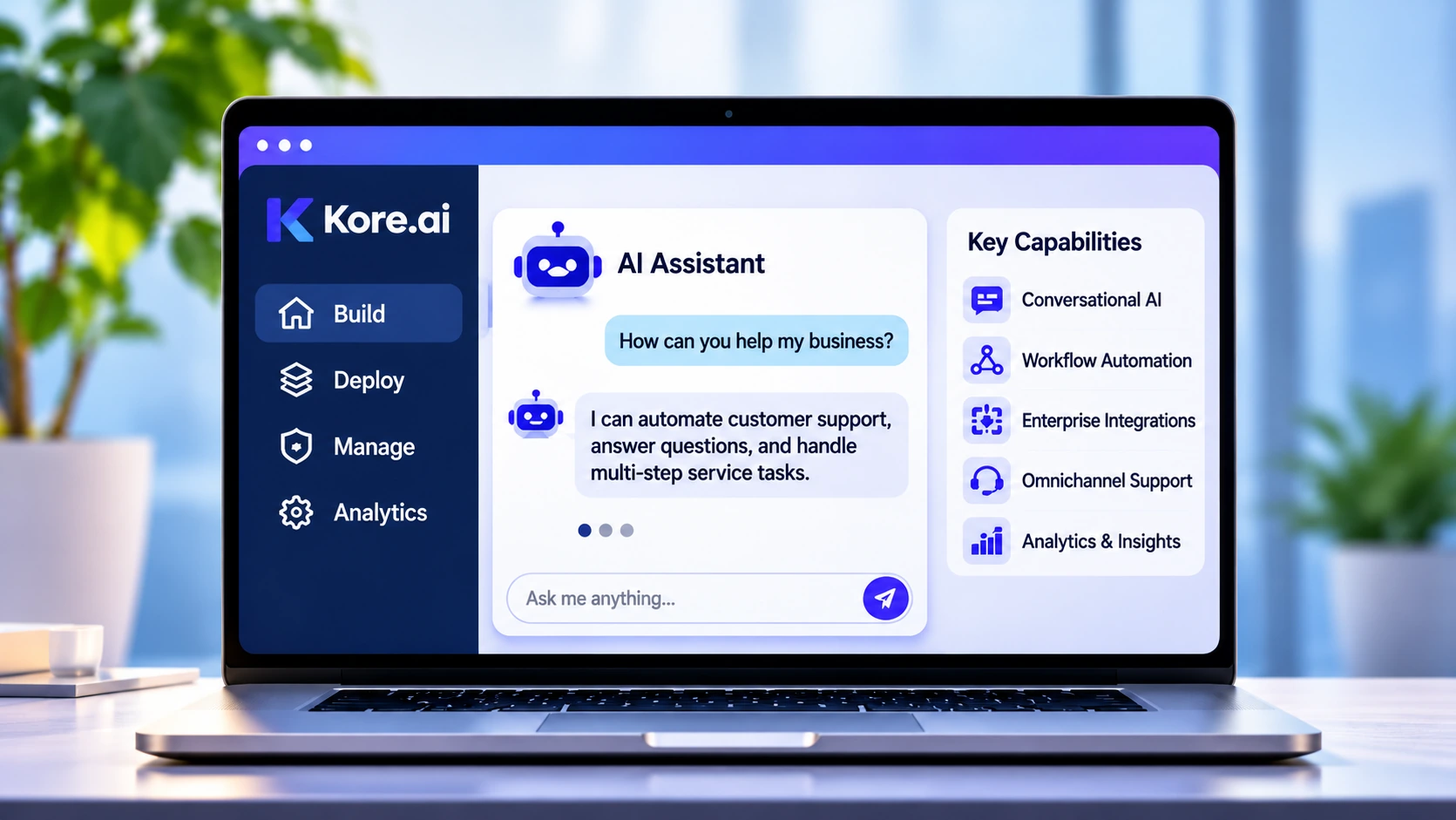
Kore.ai provides an enterprise platform for developing, deploying, and managing conversational AI agents.
Its technology helps businesses create virtual assistants capable of understanding natural language, managing customer interactions, and executing automated processes.
The platform supports customer experience automation as well as other enterprise applications.
It is particularly relevant to organizations with complicated customer journeys, legacy systems, and multiple communication channels.
Why It Ranks Here
Kore.ai ranks third because of its strong enterprise capabilities and recognition in independent evaluations of conversational AI platforms.
It is particularly suited to large organizations that require advanced customization, scalability, governance, and integration with existing business systems.
Key Features
- Enterprise conversational AI development.
- Voice and digital customer interactions.
- AI agent orchestration.
- Workflow automation.
- Business application integrations.
- Conversational analytics.
- Enterprise security and governance capabilities.
Pricing
Kore.ai uses enterprise-oriented pricing.
A standard public starting price was not established for this comparison. Final costs depend on deployment size, channels, integrations, usage, and implementation requirements.
Proof and Results
Kore.ai has received recognition in independent evaluations of conversational AI and enterprise customer service platforms.
Its recognition reflects capabilities across agent development, integrations, scalability, and enterprise deployment.
Pros and Cons
Pros
- Strong enterprise conversational AI capabilities.
- Supports voice and digital channels.
- Advanced workflow automation.
- Extensive integration possibilities.
- Suitable for complex deployments.
Cons
- Public pricing transparency is limited.
- Implementation requires planning.
- May be excessive for smaller support teams.
Watch-Outs
Businesses should evaluate how much customization is genuinely necessary. Advanced platform capabilities are useful only when they address actual operational requirements.
Who Should Skip It
Small companies looking for a simple website chatbot should consider more accessible alternatives. Organizations with limited technical resources may also find enterprise deployment unnecessarily demanding.
4. Google Gemini Enterprise for CX — Best for Multimodal Customer Experiences
Best for: Large organizations seeking AI-powered customer experiences across voice, chat, shopping, and digital service channels.
What It Does
Google Gemini Enterprise for Customer Experience brings Google's Gemini AI capabilities into customer-facing business applications.
It enables organizations to develop AI agents that understand customer requests, retrieve relevant information, and perform supported actions through connected systems.
Its broader customer experience capabilities extend beyond traditional support conversations to include product discovery, shopping assistance, and post-purchase interactions.
Why It Ranks Here
Google ranks fourth because of its underlying AI technology, cloud infrastructure, enterprise development capabilities, and strong position in conversational AI.
Its main advantage is the ability to combine multimodal AI with business applications and customer interaction workflows.
Key Features
- Gemini-powered customer service agents.
- Customer experience agent development.
- Voice and digital interactions.
- Multimodal customer experiences.
- Integration with enterprise applications.
- Agent development and management.
- Customer interaction automation.
Pricing
A verified standard public price for the complete customer experience deployment was not established.
Pricing should be assessed according to AI usage, infrastructure, deployment requirements, and connected services.
Proof and Results
Google's enterprise AI capabilities have received independent recognition.
The platform also benefits from the wider Gemini ecosystem and its cloud infrastructure.
Customer-specific performance should be evaluated using actual deployment data rather than general model capability claims.
Pros and Cons
Pros
- Advanced underlying AI models.
- Multimodal customer experiences.
- Enterprise cloud infrastructure.
- Voice and digital deployment.
- Flexible agent development.
Cons
- Pricing requires clarification.
- Enterprise implementation can require technical resources.
- Integration requirements vary by environment.
Watch-Outs
The capabilities of a foundation model should not be confused with the performance of a complete customer support system.
Knowledge retrieval, integrations, security, and workflow configuration determine whether an AI agent can reliably solve customer problems.
Who Should Skip It
Smaller businesses seeking a ready-to-use chatbot may find the platform unnecessarily complex. Companies without an enterprise cloud strategy should compare implementation costs carefully.
5. Microsoft Dynamics 365 Customer Service — Best for Microsoft-Based Businesses
Best for: Organizations already using Microsoft business applications that want AI-powered customer service connected to CRM records and enterprise workflows.
What It Does
Microsoft Dynamics 365 Customer Service combines customer relationship management, case management, support workflows, and AI assistance.
Its Copilot capabilities help representatives summarize conversations, retrieve information, and prepare responses.
Additional automation capabilities support customer interactions and service processes.
The platform is especially useful when customer service needs to work alongside Microsoft applications and business data.
Why It Ranks Here
Microsoft ranks fifth because of its enterprise presence, CRM functionality, and integration with the wider Microsoft ecosystem.
Its biggest advantage is the ability to connect customer support with existing business applications rather than introducing another disconnected service environment.
Key Features
- AI-powered customer service assistance.
- Copilot for case summaries and response preparation.
- Customer records and case management.
- Omnichannel customer service.
- Workflow automation.
- Integration with Microsoft business applications.
Pricing
Pricing depends on the Dynamics 365 edition and additional AI capabilities.
Businesses should evaluate user licensing, Copilot access, contact center functionality, and any additional usage-based costs.
A single advertised subscription price should not be treated as the total cost of an AI-powered deployment.
Proof and Results
Microsoft's enterprise customer service capabilities are supported by its CRM and business application ecosystem.
However, the value of the platform depends heavily on existing Microsoft infrastructure and the specific AI features included in the selected subscription.
Pros and Cons
Pros
- Strong Microsoft ecosystem integration.
- CRM-connected customer service.
- AI assistance for human representatives.
- Customer case management.
- Enterprise workflow capabilities.
Cons
- Licensing can be complicated.
- Advanced deployment requires technical expertise.
- Full value depends on the wider Microsoft environment.
Watch-Outs
Businesses should confirm which AI capabilities are included in their licenses and which require additional subscriptions.
Integration and implementation expenses should also be included in the purchasing decision.
Who Should Skip It
Companies without an existing Microsoft environment may find the platform unnecessarily complicated. Small businesses requiring basic website chat should consider lighter solutions.
6. Fin — Best for Outcome-Based Customer Support Automation

Best for: Businesses that want autonomous customer service and prefer usage-based pricing linked to customer support outcomes.
What It Does
Fin is an AI customer service agent originally developed within Intercom.
It can answer customer questions, retrieve information from connected knowledge sources, and handle support requests across multiple communication channels.
It is designed to resolve routine interactions without requiring human representatives to handle every conversation.
Its broader deployment options also make it relevant to businesses using existing helpdesk systems.
Why It Ranks Here
Fin ranks sixth because of its customer support specialization, established deployment base, and outcome-based pricing structure.
A major ownership change occurred in 2026 when Salesforce completed its acquisition of Fin. This development may influence its future product positioning and integration strategy.
Key Features
- Autonomous customer support agents.
- Knowledge-based customer responses.
- Automated customer service workflows.
- Multichannel support.
- Human escalation.
- Customer interaction reporting.
Pricing
Fin's published pricing includes:
- $0.99 per outcome.
- Intercom Essential: $29 per seat/month.
- Intercom Advanced: $85 per seat/month.
- Intercom Expert: $132 per seat/month.
Seat subscriptions and AI usage should be calculated separately.
Proof and Results
Fin has an established customer base and a dedicated customer service AI offering.
Its average resolution figures are vendor-reported and should not be treated as independently verified results across all customer deployments.
Pros and Cons
Pros
- Outcome-based pricing.
- Dedicated customer support AI.
- Established deployment experience.
- Multiple communication channels.
- Integration with support environments.
Cons
- Platform subscriptions can add to AI costs.
- Resolution definitions require examination.
- Commercial arrangements may evolve following the acquisition.
Watch-Outs
Businesses should establish exactly what qualifies as a billable outcome.
An abandoned conversation, an incomplete interaction, and a genuinely resolved customer problem should not automatically be treated as equivalent.
Who Should Skip It
Businesses seeking a completely fixed monthly AI subscription may prefer another pricing structure. Teams that do not want to evaluate outcome definitions should also be cautious.
7. NiCE Cognigy — Best for Enterprise Contact Centers
Best for: Large contact centers handling substantial voice and digital support volumes that require sophisticated conversational automation.
What It Does
NiCE Cognigy provides conversational AI technology for enterprise customer experience operations.
It allows businesses to develop AI agents that manage customer interactions across voice and digital channels.
The platform is particularly relevant to organizations with complicated support processes, multilingual requirements, and frequent transfers between automated systems and human representatives.
Why It Ranks Here
NiCE Cognigy ranks seventh because of its contact center specialization and recognition in independent enterprise conversational AI evaluations.
Its main strength is the ability to support complex customer interactions rather than simply answer website questions.
Key Features
- Conversational AI agents.
- Voice and digital automation.
- Multilingual customer interactions.
- AI agent orchestration.
- Contact center integration.
- Automated service workflows.
- Human-agent handoff.
Pricing
NiCE Cognigy uses enterprise-oriented pricing.
A standard public subscription price was not established. Businesses should request a quotation based on channels, interaction volumes, integrations, and deployment requirements.
Proof and Results
The platform has received recognition in independent evaluations of conversational AI for customer service.
Its capabilities are particularly relevant to organizations with complex contact center requirements.
Pros and Cons
Pros
- Strong contact center orientation.
- Voice and digital automation.
- Multilingual support capabilities.
- Complex workflow management.
- Enterprise deployment focus.
Cons
- Custom pricing.
- Implementation requires planning.
- May be excessive for small businesses.
Watch-Outs
Businesses should test voice quality, routing, escalation, and integration with existing contact center systems before purchasing.
Who Should Skip It
Small companies that only need website chat are unlikely to benefit from the platform's broader contact center capabilities.
8. Freshdesk (Freddy AI) — Best for Small and Mid-Sized Support Teams
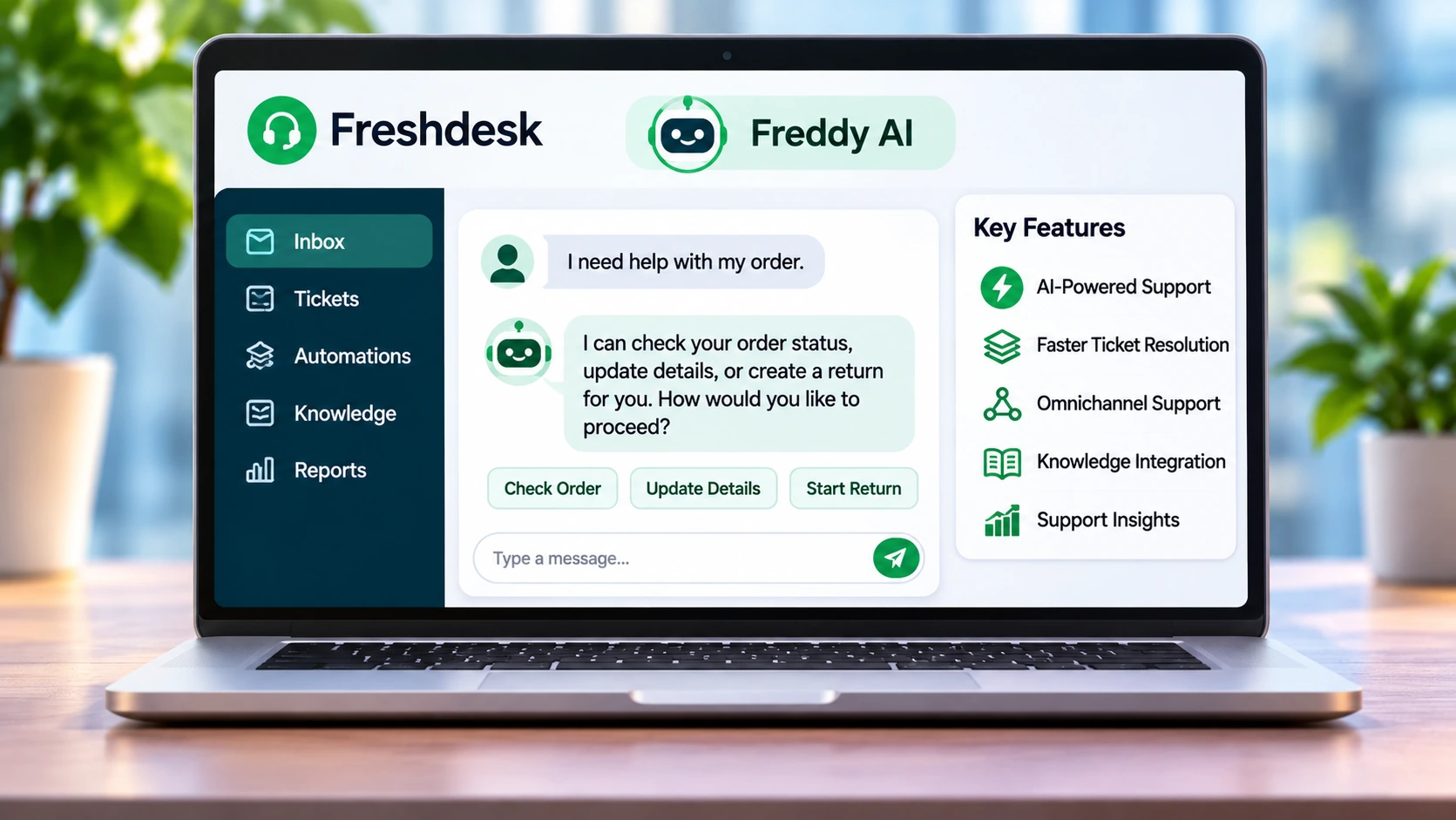
Best for: Businesses looking for an accessible helpdesk with AI-powered customer responses, ticket management, and agent assistance.
What It Does
Freshdesk combines customer support ticketing with Freddy AI.
Its AI capabilities cover three main areas: customer-facing automation, human-agent assistance, and support analytics.
Freddy AI Agent handles routine customer interactions, Freddy Copilot helps representatives work more efficiently, and Freddy Insights supports operational monitoring.
This makes Freshdesk more than a basic chatbot. It provides a wider environment for managing customer service operations.
Why It Ranks Here
Freshdesk ranks eighth because of its accessible subscription pricing, established helpdesk functionality, and integrated AI features.
It is a practical choice for growing support teams that want to introduce automation without implementing a complex enterprise platform.
Key Features
- Freddy AI Agent for automated responses.
- Freddy Copilot for agent assistance.
- AI-powered ticket management.
- Automated routing and workflows.
- Support analytics and insights.
- Knowledge-based customer responses.
Pricing
Freshdesk's annual-billing subscription prices include:
| Plan | Price per agent/month |
|---|---|
| Growth | $19 |
| Pro | $55 |
| Enterprise | $89 |
Additional AI charges include:
- First 500 AI sessions included on paid plans.
- $49 per additional 100 AI sessions.
- Freddy Copilot at $29 per agent/month on annual billing for eligible plans.
Proof and Results
Freshworks reports that Freddy AI can resolve up to 80% of customer queries.
This is a vendor-reported figure. Actual performance depends on knowledge quality, support complexity, integrations, and customer behavior.
Pros and Cons
Pros
- Accessible starting subscription.
- AI and ticket management in one environment.
- Agent assistance.
- Automated routing.
- Clear pricing structure.
Cons
- Additional session charges.
- Advanced capabilities require higher-tier plans.
- Less suitable for highly customized enterprise automation.
Watch-Outs
The included AI session allowance is limited. Businesses should model expected usage to avoid unexpected charges.
Copilot and autonomous AI agent usage are also separate expenses.
Who Should Skip It
Large enterprises requiring complex autonomous workflows may prefer Salesforce, Kore.ai, or NiCE Cognigy. Companies already satisfied with another helpdesk should also evaluate whether migration is necessary.
9. HubSpot Customer Agent — Best for HubSpot CRM Users
Best for: Businesses that already use HubSpot for customer relationship management, sales, and marketing.
What It Does
HubSpot Customer Agent is part of HubSpot's customer service environment.
It uses connected knowledge sources and customer information to respond to inquiries and automate support conversations.
Its biggest advantage is CRM context. Customer interactions can be connected to records and other relevant information already available within the business environment.
This can reduce the need for representatives to switch between multiple systems.
Why It Ranks Here
HubSpot ranks ninth because of its CRM integration, customer service functionality, and relatively transparent usage-based pricing.
It is especially relevant to organizations that already use HubSpot as their main customer data platform.
Key Features
- AI-powered customer responses.
- CRM-connected customer information.
- Knowledge-based automation.
- Customer service workflows.
- Human escalation.
- Integration with HubSpot's wider platform.
Pricing
Customer Agent usage is priced at:
- $0.50 per resolved conversation.
- Professional subscription starting at $90 per seat/month on annual billing.
- Enterprise subscription starting at $150 per seat/month on annual billing.
One-time onboarding fees may also apply:
- Professional: $1,500.
- Enterprise: $3,500.
The required subscription and AI usage should be calculated together.
Proof and Results
HubSpot reports a 65% resolution rate for Customer Agent.
This is a vendor-reported figure rather than an independently verified performance result.
The resolution definition and usage rules should be reviewed before comparing its performance with other platforms.
Pros and Cons
Pros
- Strong CRM integration.
- Contextual customer interactions.
- Published AI usage pricing.
- Connected sales and customer service environment.
- Suitable for existing HubSpot customers.
Cons
- Requires qualifying subscription access.
- Onboarding fees increase initial costs.
- AI usage adds to subscription expenses.
- Less attractive outside the HubSpot ecosystem.
Watch-Outs
The $0.50 charge does not represent the complete monthly investment.
Businesses must include qualifying seats, onboarding, and additional credit requirements.
Who Should Skip It
Organizations using another CRM or helpdesk should not migrate their entire support operation solely to access Customer Agent. Smaller teams may also find the required subscription too expensive.
10. Gorgias — Best for Ecommerce Customer Support

Best for: Shopify stores and ecommerce businesses handling frequent questions about orders, shipping, refunds, cancellations, and returns.
What It Does
Gorgias is a customer service platform built specifically for ecommerce operations.
Its AI Agent connects support conversations with store information and order-related workflows.
This allows businesses to automate routine customer requests while giving support representatives access to relevant shopping and order information.
The platform is particularly useful for online stores where post-purchase questions represent a significant proportion of support volume.
Why It Ranks Here
Gorgias ranks tenth because of its ecommerce specialization and integration with online store operations.
Its biggest advantage is the ability to connect customer support with actual shopping information rather than treating every interaction as an isolated conversation.
Key Features
- Shopify integration.
- AI-powered order support.
- Shipping and tracking responses.
- Returns and refund-related workflows.
- Customer service across digital channels.
- Ecommerce-focused automation.
Pricing
Gorgias Starter costs $10 per month for 50 tickets.
AI Agent charges are separate:
- $1.00 per automated interaction on Starter.
- Lower rates may apply on higher plans.
Businesses should also account for ticket volume and the possibility of separate ticket and AI charges.
Proof and Results
Gorgias has an established position in ecommerce customer support.
Its specialized functionality makes it relevant to stores that need order-related automation. However, customer-specific performance should be evaluated through actual deployment testing.
Pros and Cons
Pros
- Strong ecommerce specialization.
- Shopify-connected customer information.
- Automated order-related support.
- Useful for returns and shipping questions.
- Combines customer service with shopping interactions.
Cons
- Separate AI charges.
- Ticket and AI usage can increase costs.
- Less suitable for non-ecommerce businesses.
Watch-Outs
Businesses should understand the difference between ticket billing and automated AI interaction billing.
A low starting subscription does not necessarily mean low total costs at higher support volumes.
Who Should Skip It
Companies outside ecommerce may not benefit from its specialized capabilities. Businesses handling mainly general customer service inquiries should consider broader helpdesk solutions.
11. Sierra — Best for Enterprises Seeking Outcome-Based AI

Best for: Large organizations that want autonomous customer support agents capable of handling complex workflows.
What It Does
Sierra is an enterprise AI agent platform focused on customer experience automation.
It helps businesses create AI agents that interact with customers, retrieve relevant information, and execute connected business processes.
Its approach emphasizes completing customer tasks rather than simply generating automated responses.
The platform is particularly relevant to large organizations with substantial support volumes and complex customer journeys.
Why It Ranks Here
Sierra ranks eleventh because of its enterprise focus, outcome-oriented approach, and market momentum.
However, the available independent performance evidence is more limited than that of several established competitors.
Its ranking reflects the evidence available for this comparison rather than a conclusion that its technology is inferior.
Key Features
- Autonomous customer experience agents.
- Multi-step workflow automation.
- Customer interaction management.
- Business application integrations.
- Outcome-oriented automation.
- Enterprise deployment capabilities.
Pricing
Sierra uses custom enterprise pricing.
Its commercial model focuses on customer outcomes rather than simply charging for the number of messages generated.
Businesses should request a quotation and establish how successful outcomes, unresolved interactions, and escalations are defined.
Proof and Results
Sierra announced a $950 million funding round in May 2026, at a valuation exceeding $15 billion.
This demonstrates substantial market momentum and investor interest, but funding should not be confused with independently verified customer support performance.
Pros and Cons
Pros
- Enterprise-focused autonomous agents.
- Outcome-oriented pricing approach.
- Complex workflow capabilities.
- Strong market momentum.
- Suitable for large customer service operations.
Cons
- No standard public rate card.
- Enterprise purchasing process.
- Limited independent comparative performance evidence.
- Contract definitions require careful examination.
Watch-Outs
Outcome-based pricing is only valuable when successful outcomes are clearly defined.
Businesses should examine implementation charges, escalation rules, and the treatment of incomplete customer requests.
Who Should Skip It
Small businesses and organizations seeking low-cost self-service chatbot software should consider more accessible alternatives.
12. Decagon — Best for AI-First Customer Support Teams
Best for: Digital-first businesses that want customizable autonomous agents and have outgrown traditional chatbot systems.
What It Does
Decagon develops AI agents designed specifically for customer support operations.
Its Agent Operating Procedures, known as AOPs, allow teams to describe agent behavior using natural-language instructions.
This approach is designed to simplify the creation and maintenance of complex customer support workflows.
The platform is particularly relevant to businesses that want AI to become a central part of their customer service infrastructure.
Why It Ranks Here
Decagon ranks twelfth because of its AI-first architecture, flexible agent configuration, and growing market presence.
Its lower position reflects a more limited independent comparative evidence base rather than a proven lack of product capability.
Key Features
- Agent Operating Procedures.
- Natural-language agent configuration.
- Multi-step customer support workflows.
- AI-powered customer interactions.
- Enterprise application integrations.
- Monitoring and quality management.
Pricing
Decagon uses custom enterprise pricing.
Its pricing can be based on:
- Per-conversation usage.
- Per-resolution usage.
- Contract-specific volume arrangements.
A standard public starting price was not established for this comparison.
Proof and Results
Decagon has attracted significant investment and attention in the enterprise customer experience market.
Its commercial momentum is an indicator of market interest, not independent proof of customer support performance.
Businesses should request deployment examples and test its capabilities against their own support requirements.
Pros and Cons
Pros
- AI-first platform architecture.
- Flexible natural-language agent configuration.
- Multi-step workflow capabilities.
- Suitable for digital-first businesses.
- Enterprise-focused monitoring.
Cons
- Custom pricing.
- Enterprise-oriented purchasing process.
- Independent comparative evidence is limited.
- Requires careful configuration and oversight.
Watch-Outs
Natural-language instructions do not eliminate the need for technical supervision.
Businesses should test how the agent handles exceptions, interprets instructions, and prevents incorrect actions.
Who Should Skip It
Small businesses looking for a basic chatbot or inexpensive monthly subscription should consider more accessible platforms.
13. Tidio — Best for Small Businesses and Website Chat
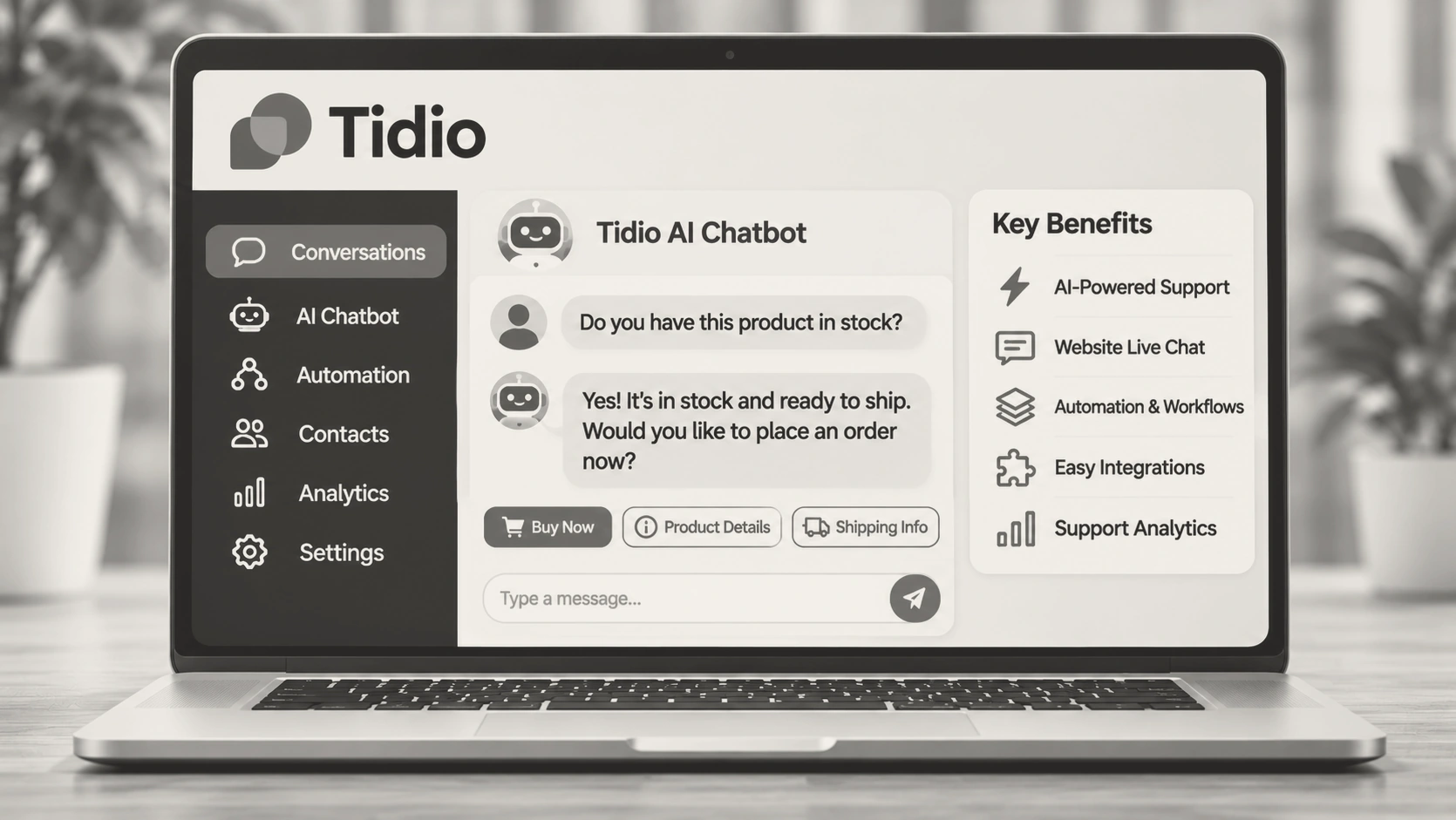
Best for: Small businesses, ecommerce stores, and growing companies that want website chat and AI-powered customer responses.
What It Does
Tidio combines live chat, chatbot automation, and AI-powered customer support.
Its Lyro AI Agent answers customer questions using connected support information and can handle routine inquiries without requiring a human representative for every interaction.
Tidio also offers automation workflows that help businesses manage website visitors and customer conversations.
Why It Ranks Here
Tidio ranks thirteenth because of its accessible setup, website chat capabilities, and suitability for smaller businesses.
Its main advantage is simplicity rather than complex enterprise automation.
Key Features
- Lyro AI Agent.
- Website live chat.
- Automated conversation flows.
- Knowledge-based responses.
- Human handoff.
- Customer interaction management.
Pricing
Lyro AI pricing starts at:
- $39 per month for 50 AI conversations on monthly billing.
- $32.50 per month for the same allowance on annual billing.
The AI allowance is separate from other applicable Tidio subscription costs.
Proof and Results
Tidio reports an average 75% resolution rate among Lyro customers.
This is a vendor-reported figure and should not be treated as an independently verified result.
Actual performance depends on the quality of connected information and the types of customer requests being handled.
Pros and Cons
Pros
- Accessible for small businesses.
- Website chat and automation.
- AI-powered customer responses.
- Human handoff.
- Relatively straightforward setup.
Cons
- Separate AI usage charges.
- AI conversations are not necessarily successful resolutions.
- Less suitable for complicated enterprise workflows.
Watch-Outs
Tidio's traditional chatbot automation and Lyro AI Agent are different capabilities.
Businesses should examine the number of included conversations and how additional usage is charged.
Who Should Skip It
Large enterprises requiring sophisticated voice automation, extensive governance, and complex business workflows should consider enterprise-oriented alternatives.
14. Ada — Best for Large Consumer Brands
Best for: Large consumer brands that need autonomous customer support across websites, mobile applications, email, voice, and messaging platforms.
What It Does
Ada is an enterprise AI customer experience platform designed to automate customer interactions across multiple channels.
Its agents use connected knowledge sources, workflows, and business integrations to respond to inquiries and handle customer service tasks.
The platform focuses on providing a consistent customer experience without requiring organizations to develop separate automation systems for every communication channel.
Why It Ranks Here
Ada ranks fourteenth because of its enterprise customer experience capabilities and multichannel automation approach.
Its lower position reflects pricing transparency, available independent performance evidence, and changes in its business environment.
Key Features
- Autonomous customer service agents.
- Multichannel customer interactions.
- AI-powered workflow automation.
- Knowledge-based responses.
- Human escalation.
- Enterprise customer experience management.
Pricing
Ada uses custom enterprise pricing.
A standard public starting price was not established.
Businesses should request a quotation based on interaction volume, communication channels, integrations, and implementation requirements.
Proof and Results
Ada has an established enterprise customer experience offering.
In November 2026, it announced a combination with a major communications technology business.
The strategic development may affect its future product direction, integrations, and commercial packaging.
The announcement should not be confused with independently confirmed completion of the transaction.
Pros and Cons
Pros
- Enterprise customer experience focus.
- Multichannel automation.
- Autonomous customer support.
- Suitable for large consumer brands.
- Broad customer interaction capabilities.
Cons
- Custom pricing.
- Enterprise implementation requirements.
- Limited public pricing transparency.
- Business transition creates additional uncertainty.
Watch-Outs
Businesses considering Ada should confirm the current ownership and contractual arrangements before signing.
They should also examine the product roadmap and availability of the capabilities required for their deployment.
Who Should Skip It
Small businesses looking for affordable self-service chatbot software should consider Tidio, Botpress, or Freshdesk.
15. Botpress — Best for Custom AI Chatbot Development
Best for: Developers, technical teams, and businesses that want to build customized AI chatbots and agents.
What It Does
Botpress is an AI chatbot development platform that allows businesses to create, configure, and deploy conversational agents.
It provides greater control over conversation behavior, integrations, workflow logic, and customer-facing experiences.
Unlike traditional helpdesk platforms, Botpress focuses more heavily on chatbot development and customized AI agent deployment.
Why It Ranks Here
Botpress ranks fifteenth because of its flexibility and development capabilities.
It is useful for businesses with specific automation requirements, but it requires more configuration than a ready-made customer support solution.
Its ranking also reflects the limited independent comparative customer support evidence available for this evaluation.
Key Features
- AI chatbot development.
- Custom conversational workflows.
- AI agent configuration.
- External application integrations.
- Knowledge-based interactions.
- Customized chatbot deployment.
Pricing
Botpress offers subscription-based and usage-based pricing.
Its available plans and conversation allowances should be checked directly before purchasing because pricing and included usage can change.
Enterprise arrangements may involve customized commercial terms.
Proof and Results
Botpress provides a flexible environment for building AI agents.
Its main strength is customization rather than a verified market-leading customer support resolution percentage.
Businesses should evaluate its functionality through a practical prototype before committing to a larger deployment.
Pros and Cons
Pros
- Flexible chatbot development.
- Customizable AI agents.
- Integration possibilities.
- Suitable for technical teams.
- Different subscription options.
Cons
- Requires configuration and development work.
- Usage charges need monitoring.
- Not a complete helpdesk replacement.
- Requires ongoing testing and maintenance.
Watch-Outs
A chatbot that can be built is not automatically ready for production.
Businesses still need to manage knowledge quality, integrations, testing, security, monitoring, and human escalation.
Who Should Skip It
Organizations seeking an immediately deployable, fully managed enterprise support platform may prefer Zendesk, Freshdesk, or Salesforce Agentforce.
Mistakes to Avoid When Buying AI Support Software
Choosing an AI support platform based only on its features or marketing claims can lead to poor results. Avoid these common mistakes:
- Prioritizing automation over accuracy: A chatbot that responds quickly but gives incorrect answers can damage customer trust.
- Ignoring integration requirements: Check whether the platform works with your existing CRM, help desk, communication channels, and knowledge base.
- Overlooking pricing at scale: Consider conversation volume, additional agents, implementation fees, and usage-based charges—not just the starting price.
- Assuming every query can be automated: Complex complaints and sensitive customer issues still need a smooth handoff to human agents.
- Skipping real-world testing: Test the platform using actual customer questions before committing to a contract.
- Neglecting ongoing maintenance: AI systems need updated knowledge, regular monitoring, and performance reviews to remain reliable.
Final Verdict
AI customer support software can improve response times, reduce repetitive workloads, and help businesses serve customers across multiple channels. However, the right choice depends on operational needs—not the number of features a platform advertises.
Large enterprises may prioritize advanced automation, governance, and integration capabilities, while smaller businesses may benefit more from straightforward setup and predictable pricing. Before making a decision, evaluate response accuracy, human handoff, total cost, and performance in real customer interactions.
The best platform is not necessarily the one that automates the most. It is the one that resolves customer problems reliably while making support operations more efficient.
Frequently Asked Questions
Can AI support software handle complicated customer complaints?
AI support software can handle many routine and moderately complex requests, such as order-status questions, account updates, booking changes, and basic troubleshooting. However, complaints involving billing disputes, unusual circumstances, emotional customers, or multiple exceptions may require human judgment. Businesses should choose a platform that can recognize when a conversation is beyond its capabilities and transfer it to an agent with the conversation history intact.
How can businesses tell whether an AI chatbot is actually reducing support costs?
Businesses should compare support performance before and after implementation. Useful measurements include cost per resolved ticket, average handling time, first-contact resolution, ticket volume handled by human agents, and the number of conversations that require repeat contact. It is also important to include software subscriptions, implementation, integration, and maintenance costs. A chatbot may reduce incoming tickets but still fail to deliver savings if customers frequently need human assistance afterward.
What happens when an AI chatbot cannot find the correct answer?
A reliable AI chatbot should avoid guessing or presenting uncertain information as fact. Depending on its configuration, it can ask the customer for clarification, search an approved knowledge source, explain that it cannot resolve the request, or transfer the conversation to a human agent. The handoff should include relevant messages and information already collected so customers do not have to explain the same issue again.
Can AI customer support work with an existing help desk?
Many AI support platforms integrate with established help desks, CRM systems, and communication tools. These integrations can allow the AI to retrieve customer information, access support documentation, create or update tickets, and pass conversations to human agents. However, integration availability does not always mean every workflow is supported. Businesses should verify whether the connection supports the specific actions they need, whether additional fees apply, and whether information synchronizes reliably.
How much customer data should an AI support platform access?
An AI support platform should access only the customer information necessary to complete its assigned tasks. For example, an order-support assistant may need order status and delivery details, but it may not need access to unrelated financial or personal records. Before deployment, businesses should review data permissions, encryption, retention policies, access controls, vendor data-use terms, and applicable privacy requirements. Limiting access helps reduce unnecessary exposure while keeping the support experience useful.
Does AI customer support completely replace human agents?
No. AI is most effective when it handles repetitive questions and routine processes, allowing human agents to focus on cases that require judgment, empathy, negotiation, or specialist knowledge. Most businesses should evaluate AI as a way to improve the existing support operation rather than remove human assistance entirely. A clear escalation process remains essential.
How long does it take to implement an AI customer support platform?
Implementation time depends on the platform, the number of systems it must connect to, the quality of the existing knowledge base, and the complexity of the workflows being automated. A basic chatbot may be deployed relatively quickly, while enterprise implementations involving multiple departments, data sources, security reviews, and custom integrations can take considerably longer. Businesses should plan for testing and ongoing adjustments after launch, not just the initial setup.
