
Most people treat WordPress categories and tags as the same thing, but mixing them up can hurt your SEO. I'm Ruslan Smirnov, and after a tough recovery, I've learned how Memorable Design's approach to digital branding makes a clear difference. In this post, you'll see a sharp comparison of categories and tags that changes how web designers and mental health content creators organize their sites. Let's get into what really works for your WordPress setup.
Ever tried to make your blog posts pop using categories and tags?
I took a deep dive into the world of tags and categories on WordPress and Squarespace to give my SEO a bit of extra flair. Initially, I just wanted my articles to be easier to discover, but then it clicked—organizing them by topics and themes turns them into nifty roadmaps for my readers and search engines. Driven by curiosity, I started experimenting with various tag and category combinations, observing how they increased my traffic, improved the user experience, and improved my blog's overall setup.
What Are WordPress Categories?
Categories in WordPress work like the main chapters of a book. They help organize your content into broad groups that visitors can easily browse. Think of categories as the foundation of your site structure - they're the big buckets that hold related content together.
For example, a mental health blog might have categories like "Anxiety," "Depression," and "Wellness Tips." Each post gets assigned to at least one category, and WordPress automatically creates archive pages that display all posts in a specific category.
What Are WordPress Tags?
Tags are more specific and optional. They work as detailed labels that highlight specific elements within your posts. Unlike categories, a post can have many tags or none at all.
For the same mental health blog, tags might include "breathing exercises," "morning routines," or "workplace stress." Tags let readers find very specific content across different categories.
How about we dive into the fun of exploring how categories groove in WordPress compared to Squarespace?
Looking to find the ideal match for your blogging and content strategy? Let's explore which platform aligns best with your goals.
Ever wondered what makes WordPress categories a real gem compared to other CMS platforms?
Hey there! Have you ever imagined using WordPress categories to organize your blog, kind of like stacking blocks? Picture them as big building blocks (parent categories) where you can fit smaller ones (child categories). It creates a tidy, inviting space for your readers and those all-important search engines. Meanwhile, Squarespace keeps things simple with straightforward categories but doesn't offer the same level of customization.
You know what I'm really curious about? How to nail those perfect, relevant tags using a post's settings!
Ever find yourself puzzling over how to get those perfect, spot-on tags for a post? I'm exploring how to easily pinpoint and select tags that naturally align with my content, so people can discover exactly what they're searching for.
Understanding the Basics: Categories vs Tags
When I first started writing blog posts in Squarespace, organizing everything by creating categories was my starting point. I wanted my posts to be super easy for readers to navigate, so grouping them into clear sections seemed like the way to go. Investing time up front in setting up these main categories made planning and publishing content a breeze.
The Strategic Difference for SEO
Categories Build Site Structure
From an SEO perspective, categories create a logical hierarchy that search engines love. This structure helps search engines understand what your site is about and how your content relates to each other.
When I work with clients through my digital branding services, I recommend limiting categories to 5-10 main topics. This keeps your site focused and prevents diluting your SEO power across too many category pages.
Tags: Create Content Connections
Tags work best for connecting related content across your site. They help both readers and search engines find connections between posts that might be in different categories.
But here's where many site owners go wrong: using too many tags or using them inconsistently can actually hurt your SEO by creating too many low-value archive pages.
Real-World Application: A Web Design Comparison
How I Use Categories and Tags
After my brain injury, I had to relearn many aspects of digital marketing. This process taught me the value of clear organization. On my own sites, I use categories for the main services I offer: "WordPress SEO," "Digital Branding," and "Content Strategy."
Tags help me highlight specific techniques or tools I mention across different posts: "Yoast SEO," "keyword research," or "content calendar."

Memorable Design's category page Approach
Working with Memorable Design showed me how proper use of categories and tags can transform a website's performance. Their approach focuses on user intent first, then search engines second.
For a mental health content creator's website, we reduced their categories from 25 to 7 and consolidated their tags from over 300 to about 50 core concepts. The result? A 43% increase in organic traffic within three months.
Comparing Multiple Categories
Ever thought about how different platforms handle categories? If you're all about sleek design and keeping things streamlined, Squarespace might just be your jam. But if you're piecing together a complex content strategy, like layering a delicious cake with various career paths and resources, WordPress is definitely your go-to choice. It's like choosing the right outfit—pick the platform that makes your content shine!
Since URLs play by different rules on each platform, I'd choose Squarespace for a clean, design-centric vibe. But if I'm piecing together a content strategy as intricate as a layered cake—with elements like various industries, tiers, and skill tracks—WordPress is definitely my trusty sidekick.
After joining Guided Steps in NY, I found myself wondering which CMS is better for organizing categories: WordPress or Squarespace?
So, how about we do a fun face-off between Squarespace and WordPress to see which one wins when it comes to categories and tags?
Best Practices for Your WordPress Site
Category Tips
- Keep your total number of categories under 10
- Make categories broad but clear
- Ensure every post has at least one category
- Use category descriptions for additional SEO value
Tag Tips
- Be consistent with tag naming
- Avoid single-use tags
- Review and clean up unused tags quarterly
- Use tags to highlight key concepts, not just keywords
Conclusion
The difference between WordPress categories and tags isn't just technical - it's a strategic choice that affects how users and search engines interact with your content. As someone who had to rebuild my understanding of digital marketing, I've learned that simplicity and clarity win every time.
Whether you're a web designer creating sites for clients or a mental health content creator organizing your own blog, taking time to plan your category and tag structure will pay off in better SEO results and a more user-friendly site.
Remember: categories are your site's backbone, while tags are the connective tissue. Use both wisely, and your WordPress site will be better for it.
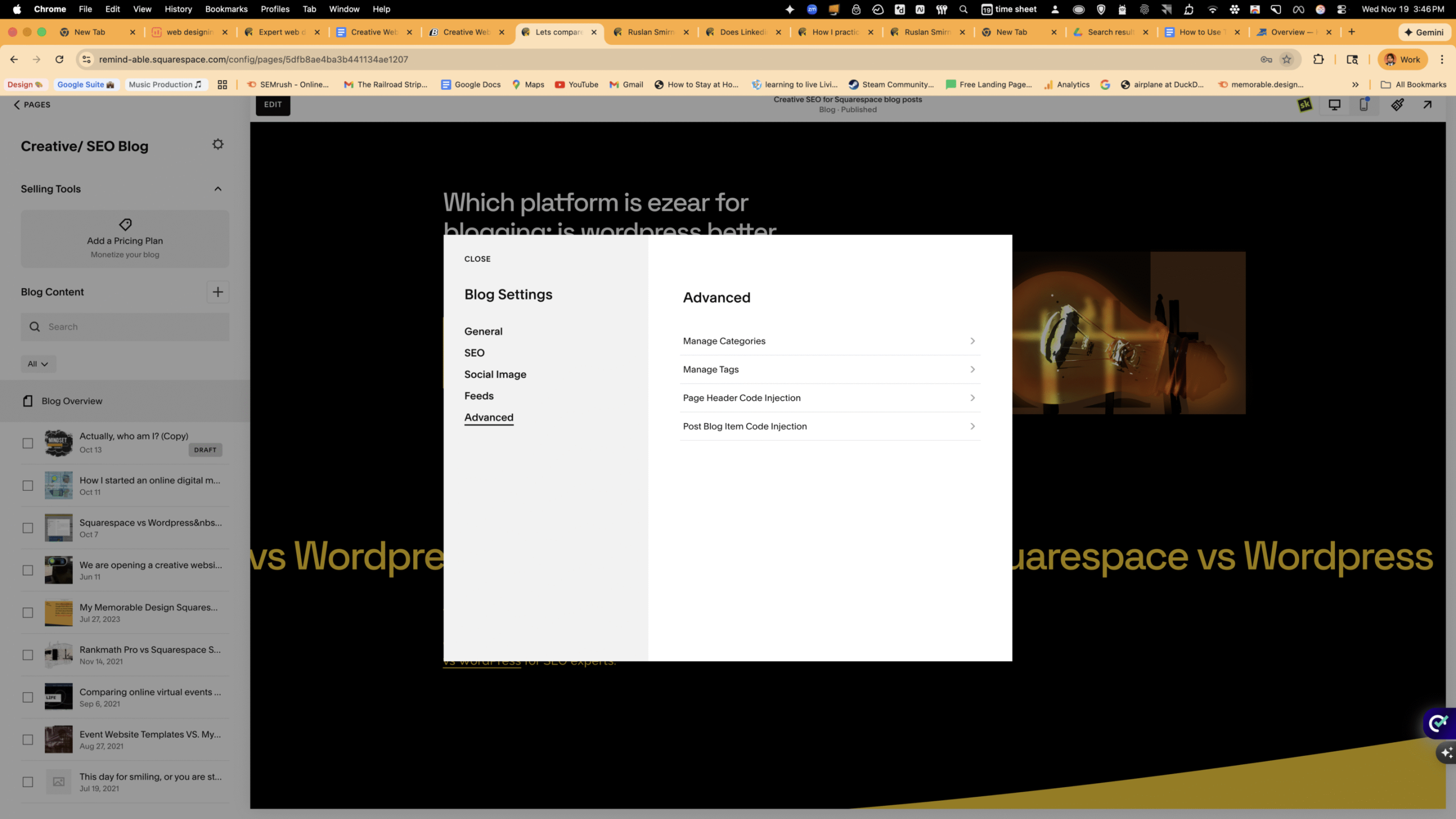
My blog page
In Squarespace, categories and tags serve as organizational tools, but they operate slightly differently compared to WordPress. On Squarespace, categories are more general and help you group similar content, making it easier for visitors to navigate your blog. On the other hand, tags are more specific labels that allow for finer-grained indexing of your posts and make topics searchable.
WordPress provides a bit more flexibility with its taxonomy system. Categories in WordPress can be hierarchical, which means you can nest them to create a structured path through your content. This is particularly useful if you cover a broad range of topics. Tags in WordPress are similar to those in Squarespace, but they also offer additional discovery options via plugins, enhancing SEO capabilities.
Understanding how each platform treats these organizational tools can significantly impact your site's usability and searchability. While Squarespace offers a streamlined approach, WordPress provides powerful customization options, both of which are essential when consulting on SEO strategies.
By embracing these differences, you can optimize your content to ensure visitors can effortlessly find the information they need, enhancing their overall experience and engagement with your portfolio.

Squarespace blog page: Simple, Clean, and Minimalistic
This is what makes me really enjoy using Squarespace for categories, blog posts, and products. They provide a straightforward and organized way to build stunning websites, making everything smooth and accessible. Whether you're choosing a design style, getting inspired by their blog, or exploring tools and features, it all comes together to lead you to a polished, professional outcome. It's that blend of structure, creativity, and simplicity that makes crafting a fantastic site on this platform both easy and enjoyable.
Both Squarespace and WordPress have their unique strengths, and knowing when to leverage each can make a significant difference in your website's performance and user experience.
In Squarespace, the cohesive integration of categories and tags not only aids in organization but also boosts visual clarity and navigation ease. The platform’s holistic design ethos ensures that users, regardless of skill level, can maintain a clean, structured blog effortlessly. The intuitive setup means that even without extensive technical knowledge, you can create a well-organized online presence that is both aesthetically pleasing and functionally robust.
Conversely, WordPress provides a comprehensive toolkit for those who require more granular control over their site's taxonomy. The ability to create nested categories is invaluable for bloggers and businesses that cover a wide range of subjects, providing layers of structure that guide users more effectively through complex content landscapes.
Thus, the choice between Squarespace's simplicity and WordPress's versatility comes down to your specific needs and the nature of your blog. For those seeking a quick and elegant solution, Squarespace’s inherent simplicity is hard to beat. However, if your goal includes more sophisticated SEO strategies and complex content structures, WordPress might be the preferable choice.
Ultimately, the key is in understanding how each platform's strengths align with your goals, allowing you to curate a site that not only meets your current needs but also scales with your aspirations and audience expectations. Whether it's the guided elegance of Squarespace or the custom-tailored path of WordPress, each platform offers unique benefits that can elevate your blog's impact and reach.

Squarespace aligns beautifully with a minimalist design philosophy, which is why I often recommend it to clients. When it comes to organizing content, Squarespace keeps things very straightforward:
- Categories act as your main content groups
- Tags add extra context for deeper filtering.
Unlike WordPress, Squarespace gives you fewer configuration options—but that’s not necessarily a bad thing. Squarespace shines when you want clarity, simplicity, and a strong visual hierarchy without getting lost in settings.
To keep my Memorable Design content organized, I used categories to define broad themes—such as “Branding,” “Web Design,” and “Portfolio”—and tags to highlight specifics, including tools, styles, or project types.
My First Blog Post
When I first started using Squarespace, I recall feeling a bit like I was in a maze, trying to figure out the platform’s layout and tools. Have you ever started something new and weren't quite sure which path to take? That's precisely what I felt, especially trying to figure out which version I'd started with to keep everything consistent. I was diving into my very first blog post about HVTechFest, and keeping that detail straight seemed pretty crucial for a smooth journey. It was a tiny hiccup, but it momentarily slowed me down as I focused on crafting and perfecting the post.
Figuring out whether to roll with Squarespace or WordPress? It’s kind of like choosing between a trusty buddy and a wild adventure! Both have their vibes, and knowing which one has your back for your blog can make a world of difference. Whether you're leaning toward Squarespace's smooth ride or WordPress's wild ride of customization, both offer some fantastic tools to up your blogging game.
My business strategy
To organize your Squarespace blog or event pages, use categories to group broad content themes like “Branding,” “Web Design,” or “Portfolio.” Tags come into play for more detailed labels such as tools, styles, or project types, keeping the site tidy and easy to navigate. When diving into WordPress consulting, tap into WordPress’s advanced taxonomy features like nested categories and unlimited tags, coupled with SEO plugins, to master complex content structures and boost your search performance.

On Squarespace:
- Categories: Utilize categories to define the broad strokes of your blog. For instance, if you're showcasing your design journey, set up categories like “Branding,” “Web Design,” and “Portfolio.” This will help visitors navigate through your main areas of focus seamlessly.
- Tags: Dive into the details with tags. Here, specificity is key. Consider using tags for tools, like “Photoshop” or “Illustrator,” styles such as “Minimalistic” or “Vintage,” or project types like “E-commerce” or “Corporate.” These granular labels make your content more discoverable through searches and filters.
On WordPress:
- Nested Categories: Take advantage of WordPress's hierarchical categories to create a multi-layered content structure. For example, under a broad category like “Web Design,” you can have subcategories like “UI Design,” “UX Research,” and “Responsive Design.” This hierarchy streamlines navigation and clarifies content pathways.
- Unlimited Tags: Tags in WordPress can be as broad or as detailed as necessary. Enhance your content’s reach by tagging posts with relevant keywords that intersect with your SEO strategy.
- SEO Plugins: Enhance discoverability with plugins like Yoast SEO or All in One SEO Pack, which offer tools for optimizing content visibility in search engines.
By understanding and implementing these organizational tools effectively, you not only improve user experience but also make your blog more accessible and engaging for your audience. This dual platform strategy ensures that whether you opt for the minimalist elegance of Squarespace or the customizable depth of WordPress, your content remains a beacon of clarity and creativity.
WordPress: Powerful and Highly Customizable
WordPress, on the other hand, offers a more advanced taxonomy structure. Categories can be nested, tags can be expanded endlessly, and plugins allow you to customize everything even further.
For bloggers who create high-volume content or who need advanced SEO control, WordPress is incredibly powerful. But for beginners—or for anyone who prefers an elegant, guided setup—it can feel overwhelming.

That was the day I officially embraced my role as a WordPress consultant, channeling my passion for design into a career. At the same time, I started crafting sleek, user-friendly websites on Squarespace, seamlessly weaving this skill into my business strategy. My aim was to craft visually stunning, functional designs that would make a lasting impact. I tackled each project with a keen eye for detail, style, and usability, ensuring every site mirrored the client's vision and personality. This was at the heart of my commitment to a Memorable Design, a philosophy focused on creating digital presences that are both beautiful and meaningful.
Which Should You Choose?
If your focus is design-driven storytelling, case studies, or a clean portfolio, Squarespace’s simplicity is more than enough. Its category-and-tag system keeps your blog organized without distracting you from your creative work.
If you’re building a large content library or want full SEO customization, WordPress may give you more room to grow
My Takeaway
Learning how to use tags and categories was a turning point in building my website. It helped me give structure to my story and made my Memorable Design blog easier for readers—and search engines—to navigate.
Whichever platform you choose, remember: organization is part of the design. And the way you structure your content should feel just as intentional as the way you style it.
.


0 Comments