

Key Takeaways
- Built-in Squarespace settings handle foundational SEO tasks.
- Google Search Console is non-negotiable for site health.
- Third-party Keyword tools reveal actual search demand.
- Technical tools ensure speed, security, and clean indexing.
Have you ever published a beautiful new page on Squarespace, stood back to admire it, and then realized nobody is actually visiting? It happens all the time. Squarespace is fantastic for clean design, but getting organic traffic requires a bit more effort.
To boost your rankings, you need the best seo tools for squarespace that simplify keyword research, track rankings, and help you fix technical issues fast. Let's look at the actual tools that deliver results without making things overly complicated.
AI Overview
Squarespace offers excellent built-in design features, but scaling organic traffic requires dedicated software. The best seo tools for squarespace include built-in options like Squarespace Analytics alongside essential external platforms like Google Search Console, Ahrefs, SEMrush, and SE Ranking. Using these tools helps you uncover low-competition keywords, track keyword positions, optimize page content, fix indexing issues, and drive consistent search traffic to your site.
Do You Really Need External SEO Tools for Squarespace?
Squarespace already comes with built-in SEO settings like customized meta titles, clean URL structures, automatic sitemaps, and SSL certificates. So why look elsewhere? Built-in features cover the basics, but they do not tell you what people are actively searching for on Google.
External tools give you actionable data. They show keyword search volumes, competitor backlinks, and technical errors that prevent your site from reaching the top spots.
Using the right tools alongside expert guidance from platforms like memorabledesign.com gives your website a massive edge over competitors who rely solely on default settings.
1. Google Search Console (Essential & Free)
If you only pick one tool from this list, make it Google Search Console. It is completely free and connects directly to your site. Google Search Console shows you the exact queries people type into Google before landing on your pages.
It also alerts you if Google encounters indexing errors, mobile usability issues, or broken links on your Squarespace site. For any website owner, this tool serves as the primary line of communication between your site and Google's index.
2. Ahrefs (Best for Keyword Research & Backlinks)
Ahrefs is widely regarded as an industry standard for detailed SEO analysis. It helps you discover low-competition keywords that your target audience searches for every day.
You can also input your competitors' URLs to see which keywords bring them the most traffic and where they get their backlinks. While it carries a premium monthly price, the depth of data makes it worth every penny for growing businesses.
3. Google Analytics 4 (Best for Traffic Tracking)
Google Search Console tells you how people find you, while Google Analytics 4 (GA4) tells you what they do once they arrive. GA4 integrates seamlessly into Squarespace via your account settings.
You can monitor bounce rates, average engagement time, conversion rates, and top-performing pages. Understanding user behavior ensures that the traffic you attract actually translates into leads, sales, or subscriptions.
4. SEMrush (Best All-in-One SEO Suite)
SEMrush offers an extensive toolkit designed for serious content marketing and rank tracking. It features content auditing tools, keyword gap analysis, and daily position tracking for your main keywords.
If you publish blog content regularly on Squarespace, SEMrush helps you optimize headers and content structure before you hit publish. Its comprehensive reporting makes it a favorite choice for agencies and site managers alike.
5. SE Ranking (Best Budget-Friendly All-in-One Tool)
If tools like Ahrefs or SEMrush feel too expensive for your current budget, SE Ranking is a powerful alternative. It offers accurate keyword tracking, backlink monitoring, and full site audits at a fraction of the cost.
The platform is intuitive, easy to navigate, and exceptionally friendly for beginners. It delivers all the core metrics required to optimize a Squarespace website without overwhelming you with complex dashboards.
Comparing Top SEO Tools for Squarespace
| Tool Name | Primary Use Case | Skill Level | Pricing Tier |
| Google Search Console | Performance & Indexing | Beginner | Free |
| Ahrefs | Backlinks & Keyword Research | Advanced | Paid |
| Google Analytics 4 | User Behavior & Conversions | Intermediate | Free |
| SEMrush | Content Strategy & Audit | Advanced | Paid |
| SE Ranking | Rank Tracking & Auditing | Beginner to Intermediate | Affordable Paid |
| Yoast / SEO Space | Squarespace On-Page SEO | Beginner | Free & Paid Options |
6. SEO Space (Best Built-For-Squarespace Plugin)
SEO Space is built specifically as an SEO plugin tailored for the Squarespace platform. It acts like an on-page assistant directly within your site editor, scoring your pages against SEO best practices.
It highlights missing alt text, incorrect heading hierarchies, and sub-optimal page titles in real time. For creators who prefer step-by-step guidance without leaving their dashboard, SEO Space simplifies the entire process.
7. Screaming Frog SEO Spider (Best for Technical Audits)
Technical issues like broken links, redirect loops, and missing meta tags can quietly destroy your rankings. Screaming Frog is a desktop app that crawls your site just like Google's web crawlers do.
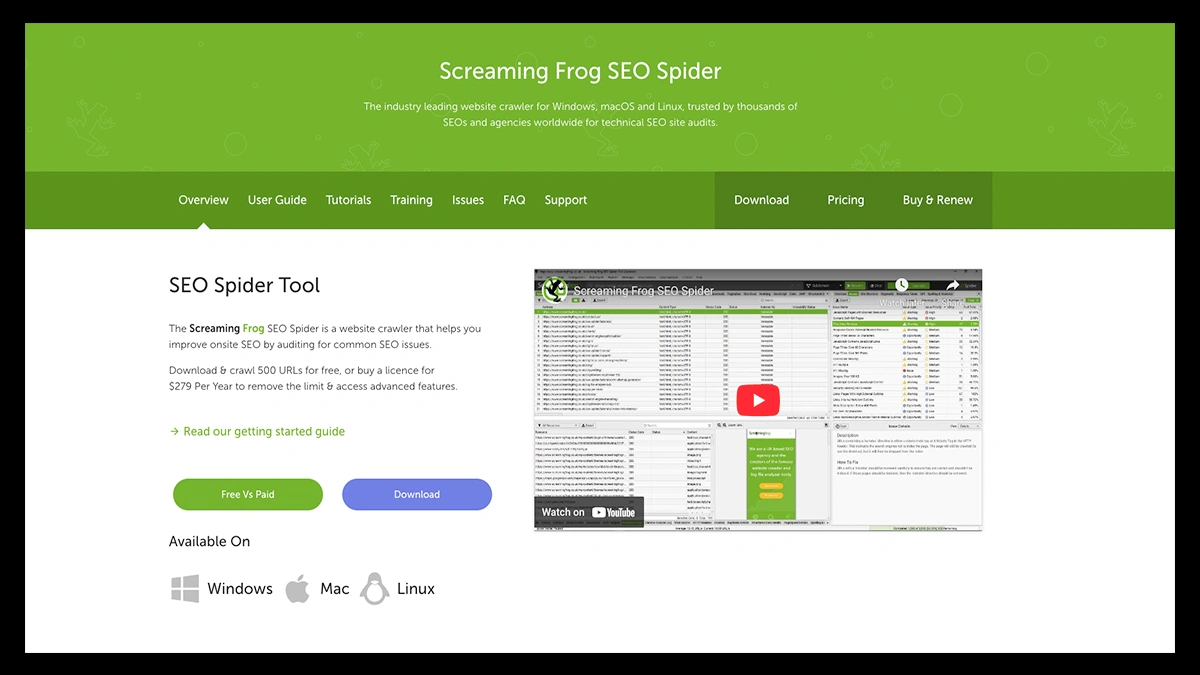
The free version lets you crawl up to 500 URLs, which covers most personal and small business Squarespace sites. It quickly spots duplicate content, heavy images, and broken internal links so you can fix them immediately.
8. AnswerThePublic (Best for Content Ideas)
Stuck on what topics to write about next? AnswerThePublic gathers search queries directly from search engines and formats them into visual clusters.
It shows the exact questions, comparisons, and prepositions people search for around your seed topic. Answering these specific questions in your blog posts helps you win Google's featured snippets and Answer Engine Optimization (AEO) spots. Combining these insights with strategy from memorabledesign.com helps turn basic search queries into high-converting articles.
9. Google PageSpeed Insights (Best for Site Speed & UX)
Page speed is a direct ranking factor for Google, and custom Squarespace designs can sometimes slow down due to large images. Google PageSpeed Insights analyzes your page performance on both mobile and desktop devices.
It provides actionable suggestions, such as compressing images or removing heavy scripts, to keep load times lightning fast. Keeping your site fast improves user experience and protects your rankings across all search engines.
Key Features to Look For in a Squarespace SEO Tool
When evaluating different platforms, focus on features that solve your specific growth bottlenecks.
- Accurate Keyword Data: Reliable search volume, keyword difficulty scores, and intent classification.
- On-Page Optimization Guidance: Clear recommendations for meta descriptions, image alt tags, and heading tags.
- Rank Tracking: Daily or weekly updates on where your site ranks for key search phrases.
- Technical Auditing: Fast identification of broken links, 404 errors, and slow-loading assets.
How to Choose the Right Tool Stack for Your Budget
You do not need to purchase every single tool listed above. In fact, doing so can lead to feature overload. Start with the essential free tools first: Google Search Console and Google Analytics 4.

Next, add an on-page helper like SEO Space if you want clear, step-by-step optimization checks while editing pages. Finally, choose one dedicated research tool like Ahrefs, SEMrush, or SE Ranking based on your monthly budget.
This balanced combination gives you maximum visibility without overspending. As your traffic grows, custom design and SEO support from memorabledesign.com can further scale your brand's presence online.
Conclusion
Finding the best seo tools for squarespace comes down to knowing what your website needs right now. Start with free essentials like Google Search Console and GA4 to build a solid foundation.
Then, layer in specialized research and auditing tools to find high-value keywords and fix technical issues. Consistency is key keep creating helpful content, monitor your data, and adjust your strategy over time.
FAQs
What is the best free SEO tool for Squarespace?
Google Search Console is generally considered the best free tool because it directly reports performance metrics, indexing errors, and query data directly from Google.
Is Squarespace good enough for SEO success?
Yes, Squarespace provides robust built-in SEO features that allow websites to rank competitively when paired with quality content and proper keyword research.
Do I need plugins to rank on Squarespace?
Plugins are not strictly required, but tools like SEO Space help simplify on-page optimizations and site audits for beginners.
How long does SEO take on Squarespace?
Noticeable ranking improvements typically take between three to six months, depending on keyword competition, site authority, and content quality.