
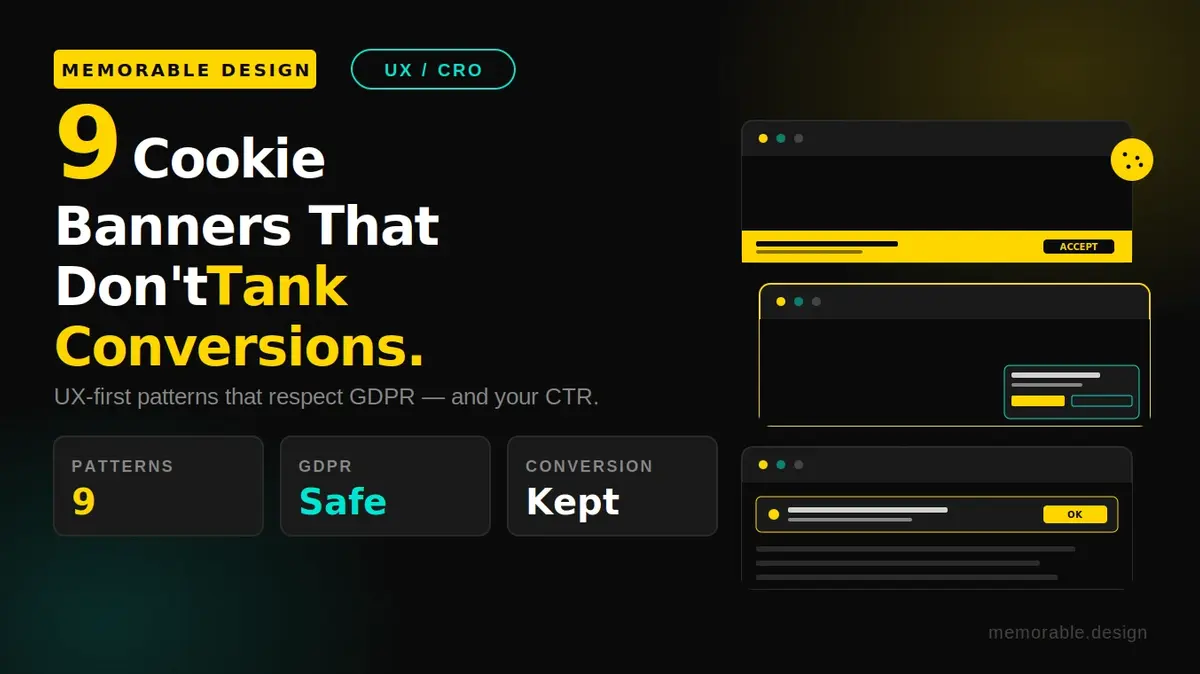
Modern cookie consent banners can significantly impact website conversions, bounce rates, and analytics tracking. Poorly designed pop-ups frustrate users and slow loading times, while optimized, non-intrusive banners improve trust and maintain compliance. Effective designs use clean layouts, equal consent options, mobile-friendly placement, and lightweight scripts to balance GDPR compliance with user experience and conversion growth.
The modern web is built on a tension between data compliance and user experience, which is why your cookie banner design best practices are now a critical conversion optimization metric. If you run a digital storefront or a lead generation engine, you already know the frustrating reality: intrusive, poorly timed privacy prompts can instantly drive away your traffic. Industry data shows that heavy-handed consent walls can cause an immediate 10% to 20% spike in bounce rates, dropping mobile performance significantly.
At memorable design, we believe that legal compliance should never come at the expense of elegant user journeys. Based on available analytics data, a well-executed, non-disruptive prompt can actually preserve your tracking pipelines while building deep consumer trust. In this guide, we will analyze the precise structural choices that make a non-intrusive cookie banner work, explore the massive cookie banner conversion impact across various industries, and look at nine real-world frameworks that satisfy global privacy laws without alienating your audience.
The Hidden Cost: How Poor Notice Forms Hurt Growth
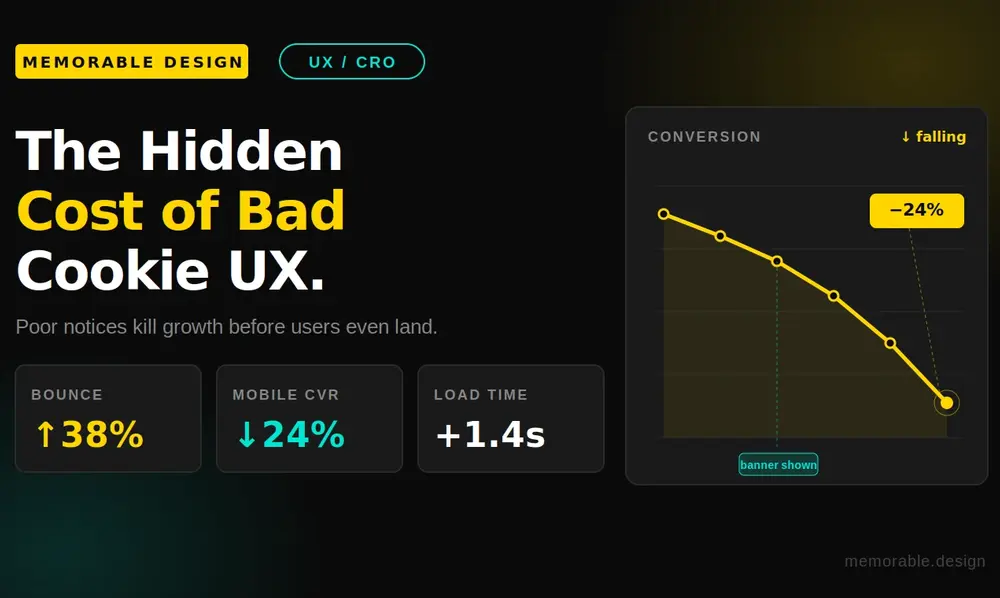
Every millisecond of rendering delay and every pixel of visual obstruction carries a measurable financial consequence. When a consent management platform (CMP) is poorly integrated, it creates multiple layers of friction that break your marketing attribution models.
The Technical Friction Point
Many default consent management systems rely on heavy, unoptimized JavaScript bundles that delay your page's First Contentful Paint. Google estimates that a loading lag of over two seconds can cause more than 30% of your visitors to abandon the session entirely. If your consent management ui forces a mobile device to download half a megabyte of tracking logic before showing the primary call-to-action, you are paying a heavy performance penalty before the visitor even reads your headline.
The Analytics Tracking Deficit
When users run into confusing or intimidating text, they default to hitting "Reject All." This choice creates a massive 30% to 50% analytics data gap in platforms like Google Analytics 4. While those human beings are still actively browsing your product pages, buying items, and exploring your funnels, your marketing software is left completely blind. This makes clean, transparent privacy banner ux essential for maintaining accurate ad attribution and campaign optimizations.
9 Brilliant Consent Layouts to Study
The following real-world frameworks demonstrate how clever layout choices, proper spacing, and balanced contrast can maintain legal integrity while protecting your conversion paths.
1. The Low-Profile Bottom Dock
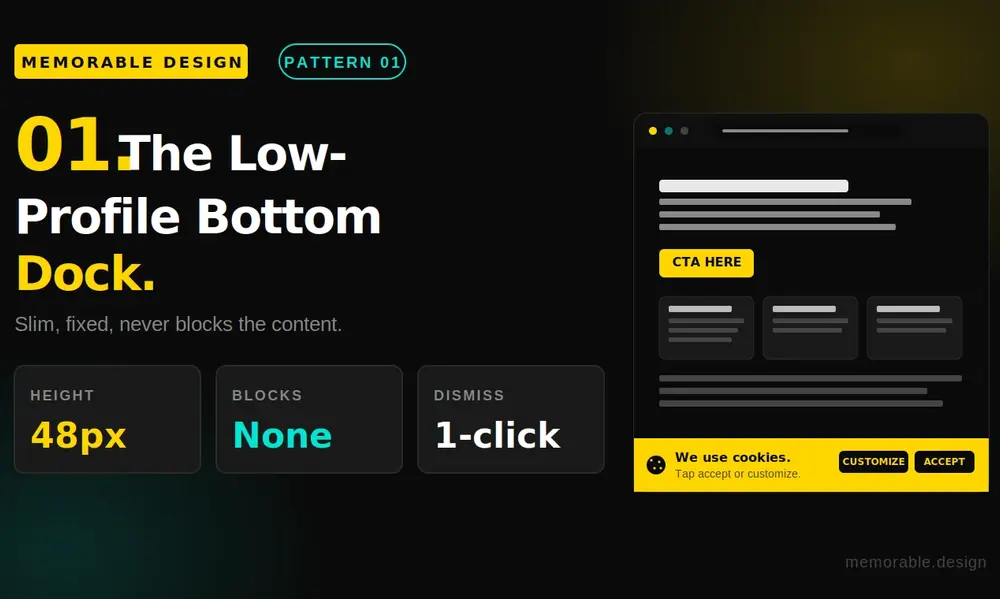
Instead of dropping a massive modal directly over your hero text, this structure uses a slim horizontal bar pinned to the very bottom of the browser viewport. It allows your value proposition, company logo, and primary navigation links to remain completely readable. By leaving the top 85% of the viewport unobstructed, users can get a feel for your site before deciding to interact with the privacy settings.
2. The Minimalist Floating Corner Pod
This approach positions a compact, square-shaped block into the bottom-left corner of the interface. Studies on cookie popup design reveal that the bottom-left position attracts highly balanced engagement without feeling like an aggressive roadblock. Because it occupies a small physical footprint, it operates cleanly as an accessible cookie banner that doesn't disrupt assistive screen readers or primary scroll steps.
3. The Balanced Asymmetric Action Bar
A major enforcement focus for modern privacy regulators is ensuring equal visual weight for both consent paths. This layout places a clear "Accept All" button right next to an identical "Reject All" button, utilizing matching font sizes and padding. To subtly guide attention without resorting to manipulative dark patterns, designers apply your brand's primary action color to the acceptance button while using a clean, neutral gray for the rejection link.
4. The Contextual Header Banner
Mainly used by major digital publications, this format integrates the privacy notice directly into the site's top masthead. As the visitor scrolls down the article, the header naturally rolls out of view. This layout works beautifully because it frames data processing as an open, standard part of the site architecture rather than an alarming security pop-up.
5. The Segmented Tab Explorer
For websites that require deep, granular options under strict data rules, this cookie consent ui examples layout relies on expandable horizontal accordions. Instead of dropping dozens of toggles onto the initial view, the user sees a simple overview with a clean "Manage Preferences" trigger. Clicking the trigger opens a highly organized menu that divides cookies into performance, functional, and marketing categories without overwhelming the reader.
6. The Non-Modal Bottom Banner for Mobile
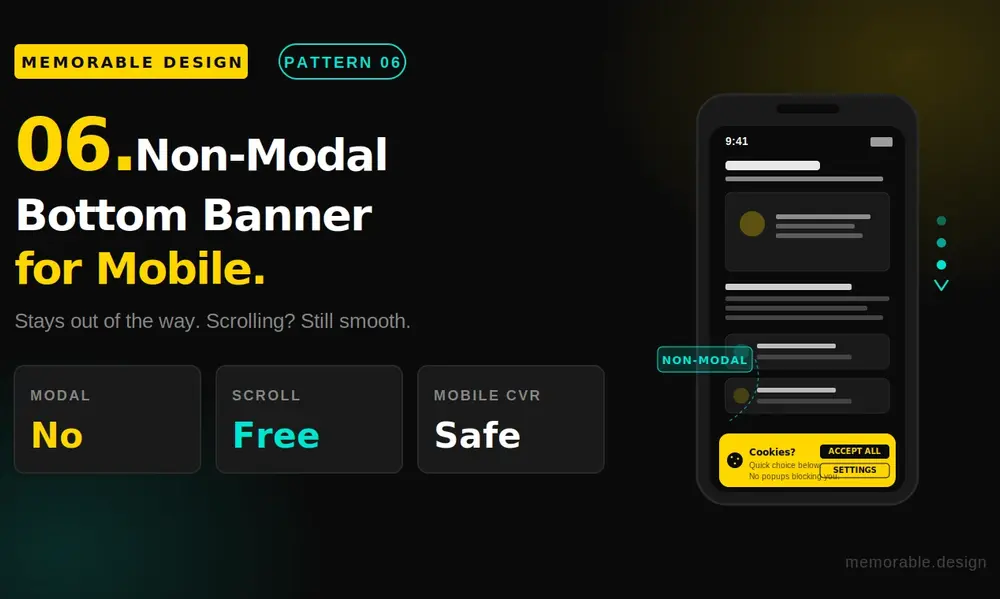
Mobile screen real estate is incredibly unforgiving, which is why a centered pop-up can easily tank your mobile metrics. This mobile-first approach reshapes the container into a slim, full-width sheet attached to the bottom edge of the glass. It leaves the entire upper half of the smartphone display clear, allowing users to scroll through your landing page content even if they haven't tapped a preference button yet.
7. The Micro-Copy Transparent Notice
This strategy relies heavily on plain, human language rather than dense legal jargon. Instead of using confusing phrasing like "We value your privacy to optimize cross-site telemetry," the banner states: "We use basic cookies to remember your login details and see which blog topics our readers enjoy most." This direct honesty eases visitor anxiety, driving higher natural engagement rates.
8. The Permanent Floating Privacy Shield
Once a visitor makes their initial data selection, the large banner completely disappears and shrinks down into a tiny, semi-transparent shield icon anchored in the corner of the screen. This layout satisfies strict regulatory requirements for easy consent withdrawal while ensuring the main interface stays completely clear for the rest of the user journey.
9. The Branded Custom Utility Container
Rather than using a generic, unstyled white box that looks like an external security warning, this setup matches your precise brand identity. By adopting your site's exact typography, corner radiuses, and color palettes, the component feels like an organic extension of your digital footprint. At memorable design, we find that matching these elements dramatically reduces user hesitation.
Core Principles: Cookie Banner Design Best Practices
If you need to implement a fresh notice framework on your platform, you must balance regional legal compliance with smooth interface design. Building a successful gdpr banner design comes down to avoiding a few common pitfalls.
The Technical Blueprint
- Enforce Equal CTA Prominence: Make sure your accept and reject options use matching sizes and shapes to avoid regulatory fines.
- Implement Positive Opt-In Triggers: Keep all non-essential marketing and tracking scripts completely blocked until the user actively gives explicit consent.
- Design for Clear Accessibility: Use semantic HTML button elements and test color contrast ratios so your banner is usable for visitors with visual impairments.
- Prioritize Light Performance Scripts: Choose a consent management tool that runs on minimal, asynchronous code to protect your page loading speeds.
Conversion Impact Across Different Industries
The overall cookie banner conversion impact is rarely uniform across the web. The ultimate cost to your metrics depends heavily on your specific business model and how your target audience browses.
| Industry Vertical | Average Added Bounce Rate | Average Conversion Drift | Primary Interaction Trend |
| E-Commerce & Retail | +12% to +18% | -8% to -15% | High mobile abandonment on cart pages |
| SaaS & B2B Software | +8% to +14% | -5% to -10% | Desktop users more willing to manage settings |
| Financial Services | +10% to +15% | -6% to -12% | Users expect security steps but dislike walls |
| B2B Professional Services | +6% to +10% | -4% to -8% | Minimal disruption to long-form content views |
Conclusion: Balancing Compliance with Growth
Perfecting your cookie banner design best practices is no longer just a legal box to check—it is a core pillar of conversion rate optimization. When you deploy a non-intrusive cookie banner that respects screen space, matches your visual branding, and uses clear language, you protect your business from regulatory liabilities while keeping your user experience clean.
By avoiding aggressive full-screen blocks and prioritizing high-performance code, you can keep your data pipelines accurate without sacrificing your bottom-line growth. If you are ready to overhaul your brand's digital presentation and build interfaces that convert, connect with us at memorable design to create an optimized experience.
Frequently Asked Questions
How does a cookie banner affect my website's conversion rate?
Intrusive designs create immediate friction, which can increase your overall bounce rate by 10% to 20%. When mobile screens are blocked by large pop-ups, conversion rates can drop significantly due to user frustration.
What are the main requirements for a GDPR-compliant banner design?
A compliant setup requires equal visual prominence for accepting and rejecting cookies, clear and accessible language, granular category controls, and the total blocking of tracking scripts until explicit consent is given.
Where is the best place to position a cookie banner?
Placing a slim, horizontal notification bar at the bottom of the screen or a compact pod in the bottom-left corner typically yields the best results. These locations keep your primary content viewable while remaining highly accessible.
Can I run my website analytics without using a cookie banner?
Yes. If you transition to a privacy-first, cookieless analytics provider that does not track personal data across the web, you can completely remove the consent prompt under many regional regulations, instantly boosting your user experience.
